Making the Work Order Less Work
Led the end-to-end redesign of the Work Order experience, one of the most heavily used workflows in Cetec ERP
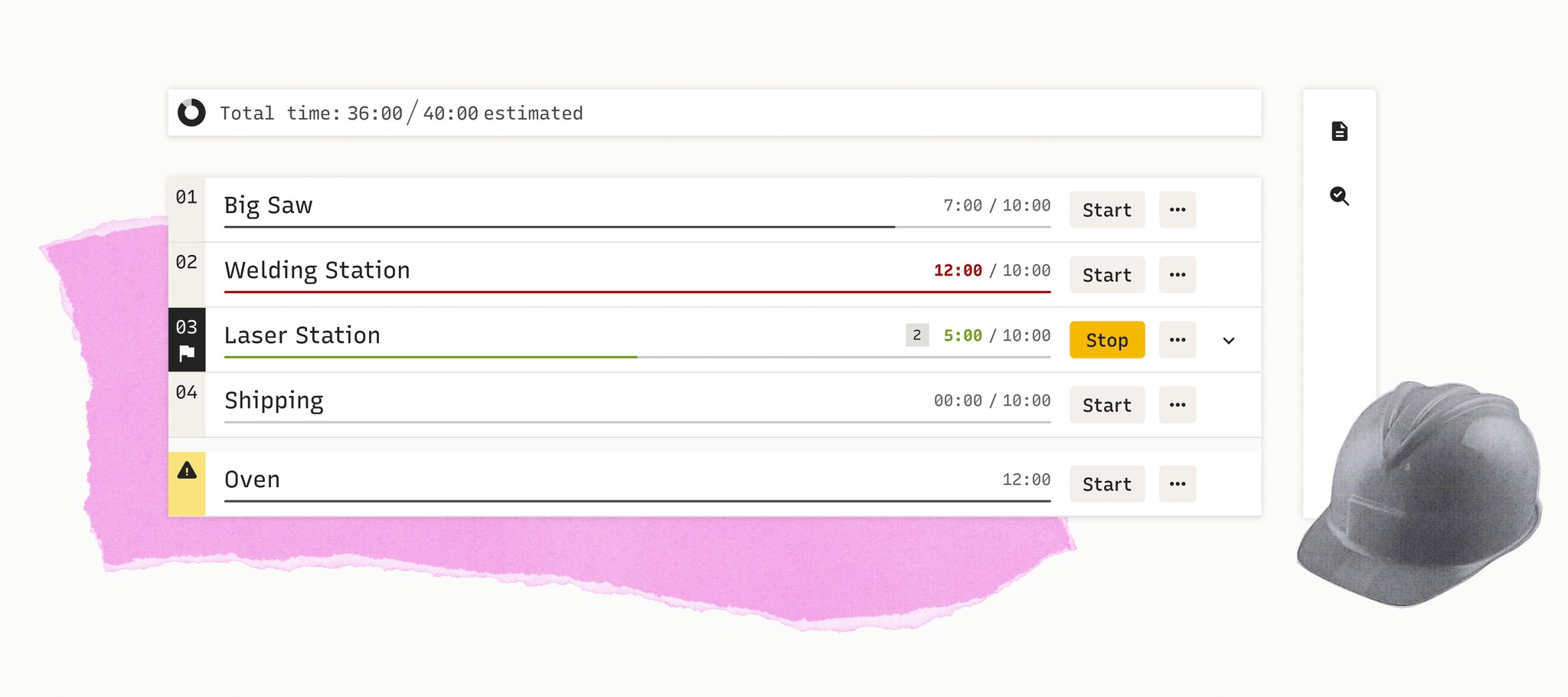
Cetec ERP
Internship Project
Duration
3 Months
My Role
Concept Development
Design
UX Research
Dev Handoff
Teammates
Director of Design
Executive Leadership
Staff Engineer
Front end developer
Background
What is Cetec ERP?
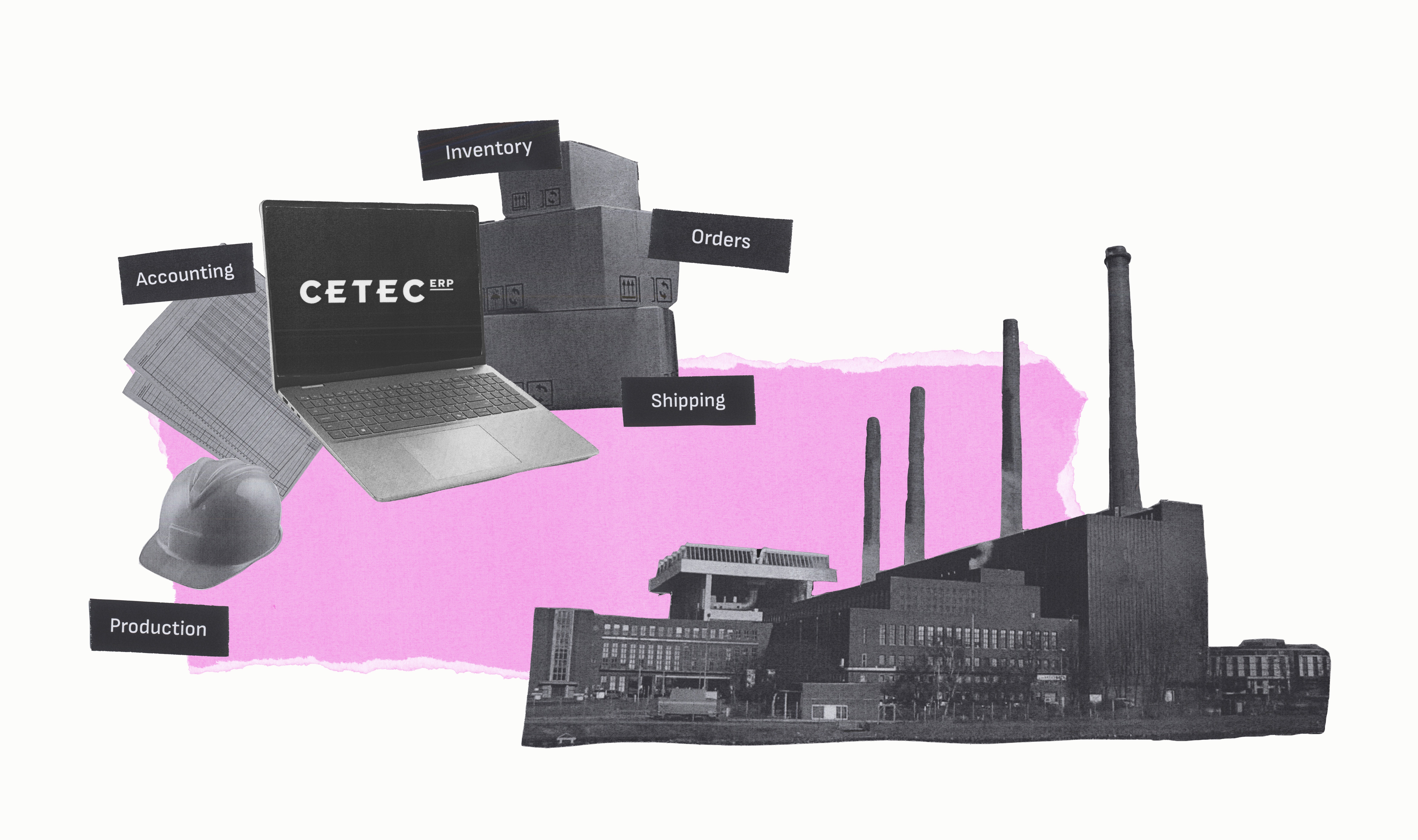
Cetec is an ERP cloud software system built for manufacturers.
You can think of it as a factory's digital 'brain.' It handles everything from orders, inventory, labor, parts, accounting, and more.
Simply put, it's a lot of complexity in one system.
At the Heart of It All: The Work Order
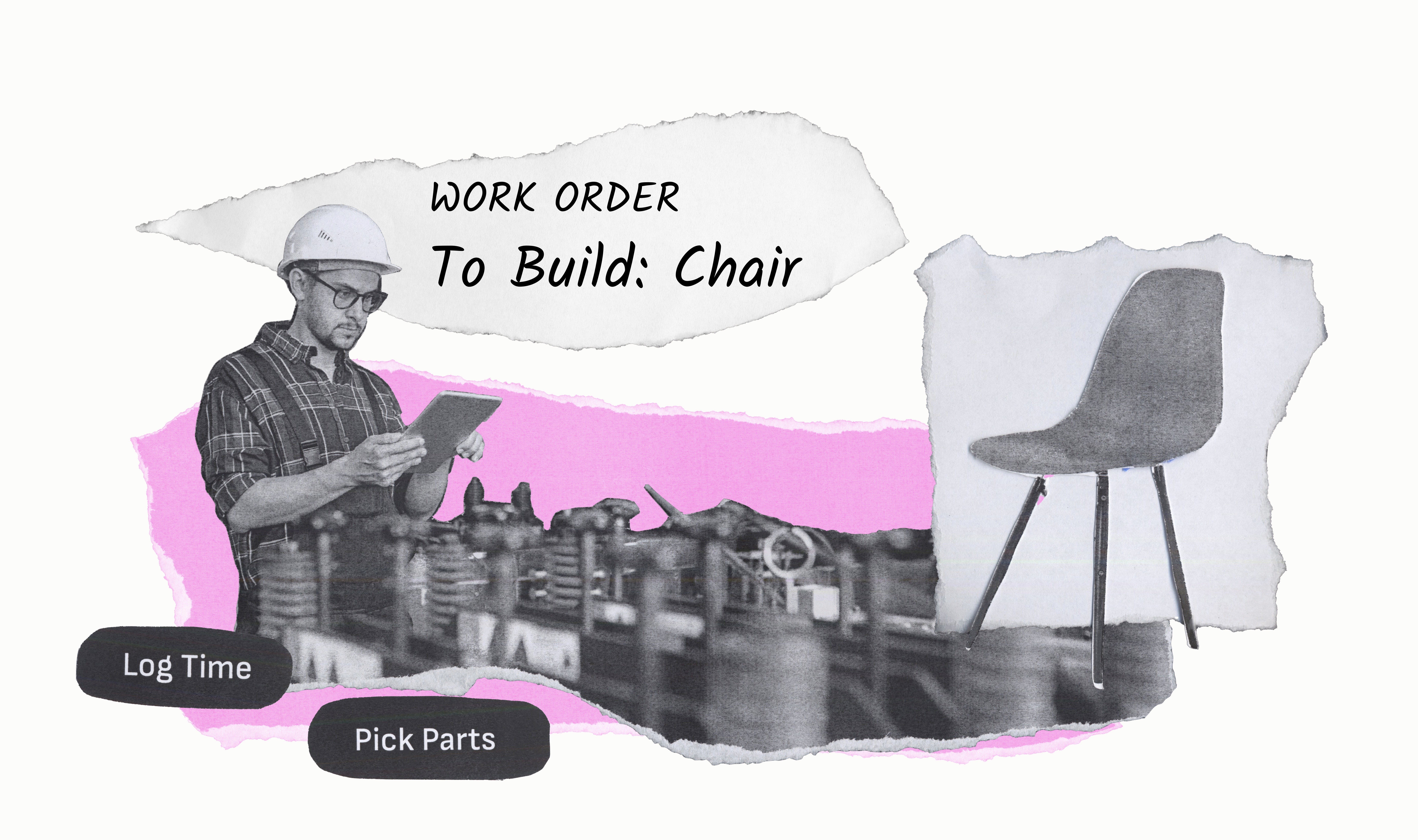
The Work Order is one of Cetec’s most-used pages. It's like a recipe, punch card, and progress tracker all in one place.
It is where work actually happens and things are built on the factory floor
Floorworkers, supervisors, and managers all rely on it every day, which made it a high-impact UX opportunity.
The Problem
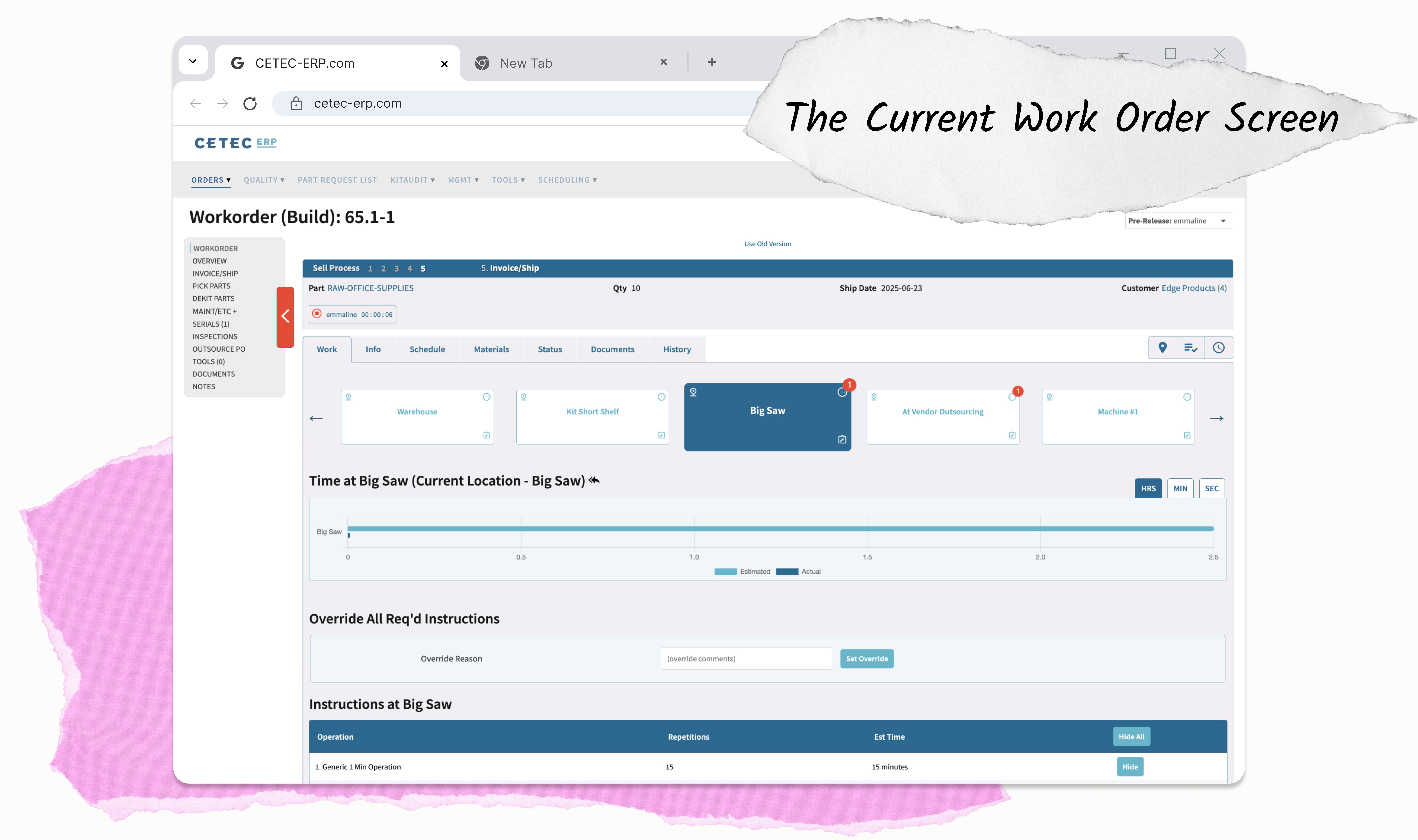
The Current Experience was Functional but Clunky
Users struggled to find the information they needed, and the interface felt overwhelming.
Managers couldn't quickly track progress or see a part's location on the floor. Floorworkers often opened multiple tabs to follow instructions.
Everyone wanted the information they needed in one place, at their fingertips.
Our Goal:
Make the Work Order simple, intuitive, and easy to use.

The Solution:
Focusing on these issues, I created GreenLens, an app paired with meta glasses that alerts users to dangerous flora around them, while also educating them about the plants properties.
Jump to Solution
Research
Internal Stakeholder Interviews
I met with people across Leadership, Engineering, Sales, and Marketing to understand how the business thinks about the Work Order and what technical or strategic constraints I’d need to keep in mind.
Stakeholder insights:
1.
The Work Order is one of Cetec's most used experiences
2.
There are two main users: Managers who want clear digestible data and Floorworkers who prioritize ease of use
3.
Sales often uses the Work Order in demos, so the new design could impact new business
Early Iterations and User Feedback Sessions
I created a prototype and organized feedback sessions with 4 Cetec users, 3 virtual and 1 in-person. I walked users through task flows with the new design and heard their feedback about understandability, usefulness, and practicality.
User 'Show Me' Session Insights
Defining the Scope
Focusing on Where We Could Help the Most
With a clearer picture of user needs and opportunity areas, it was time to narrow the focus.
I reviewed the findings with my manager, and we decided to focus the redesign on floorworker users, whose needs are more specific and consistent.
We agreed to address manager needs in a future project. However, improvements aimed at floorworkers will benefit all users because of the improved access to information and better process visibility.
Defining the Scope
Initial Concept: An Expanding Icon Side Navigation
asdfasdf
Defining the Scope
Defining our Core Goals
Further Focusing our Efforts
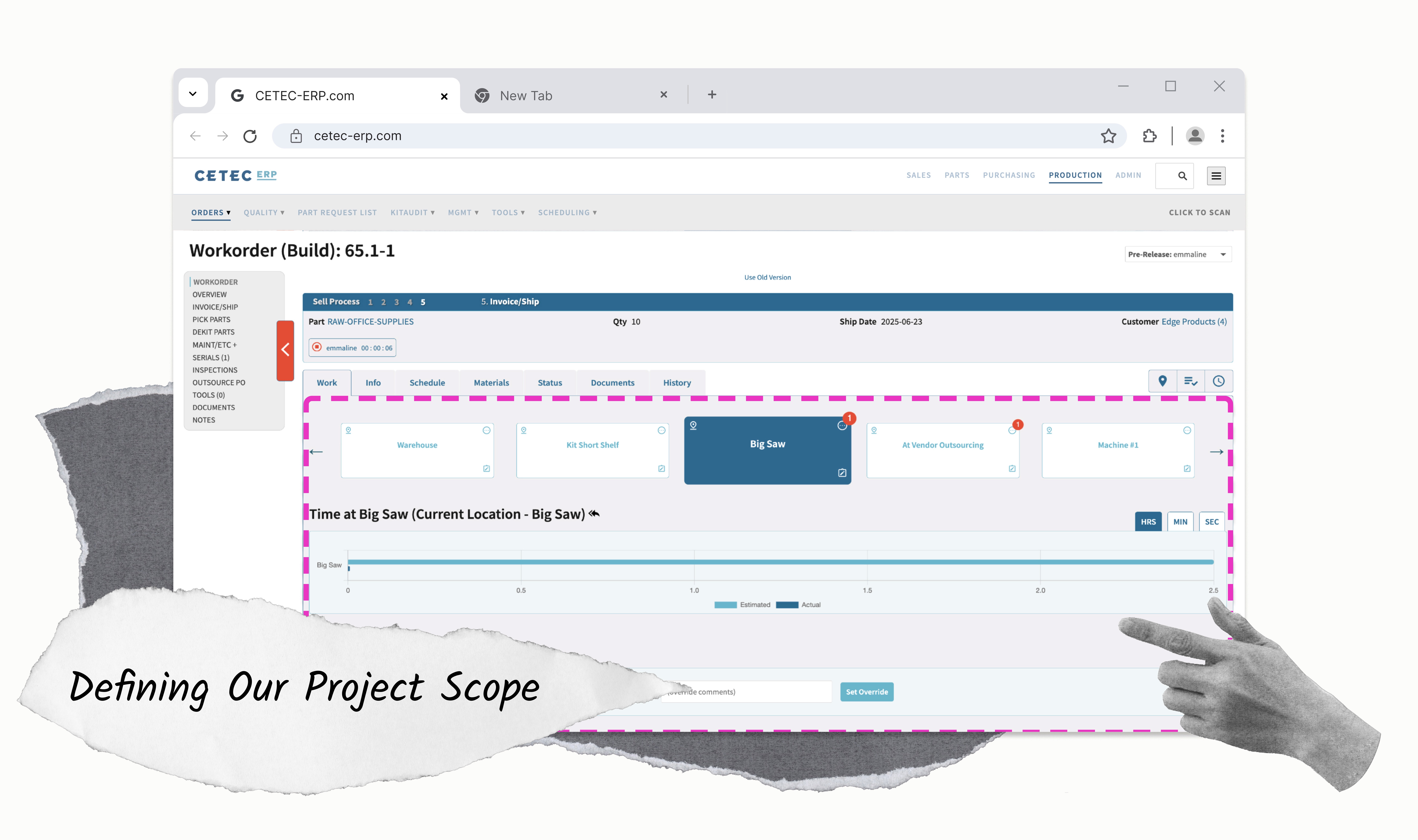
We couldn't tackle the entire Work Order UI, it made sense to focus just on the key homepage features that Floorworkers interacted with most
Discovery & Iterations
Assessing the Current Design - What are We Working With?
I started by diving into the user interface to understand challenges that users face
Difficult to Access Images and Essential Documents
Instructions, referenced documents, and supporting images live in seperate disconnected places

To access images and documents needed to get their job done, users must leave their context and hunt for information
Clunky Instructions
Instructions are awkwardly formatted and difficult to follow
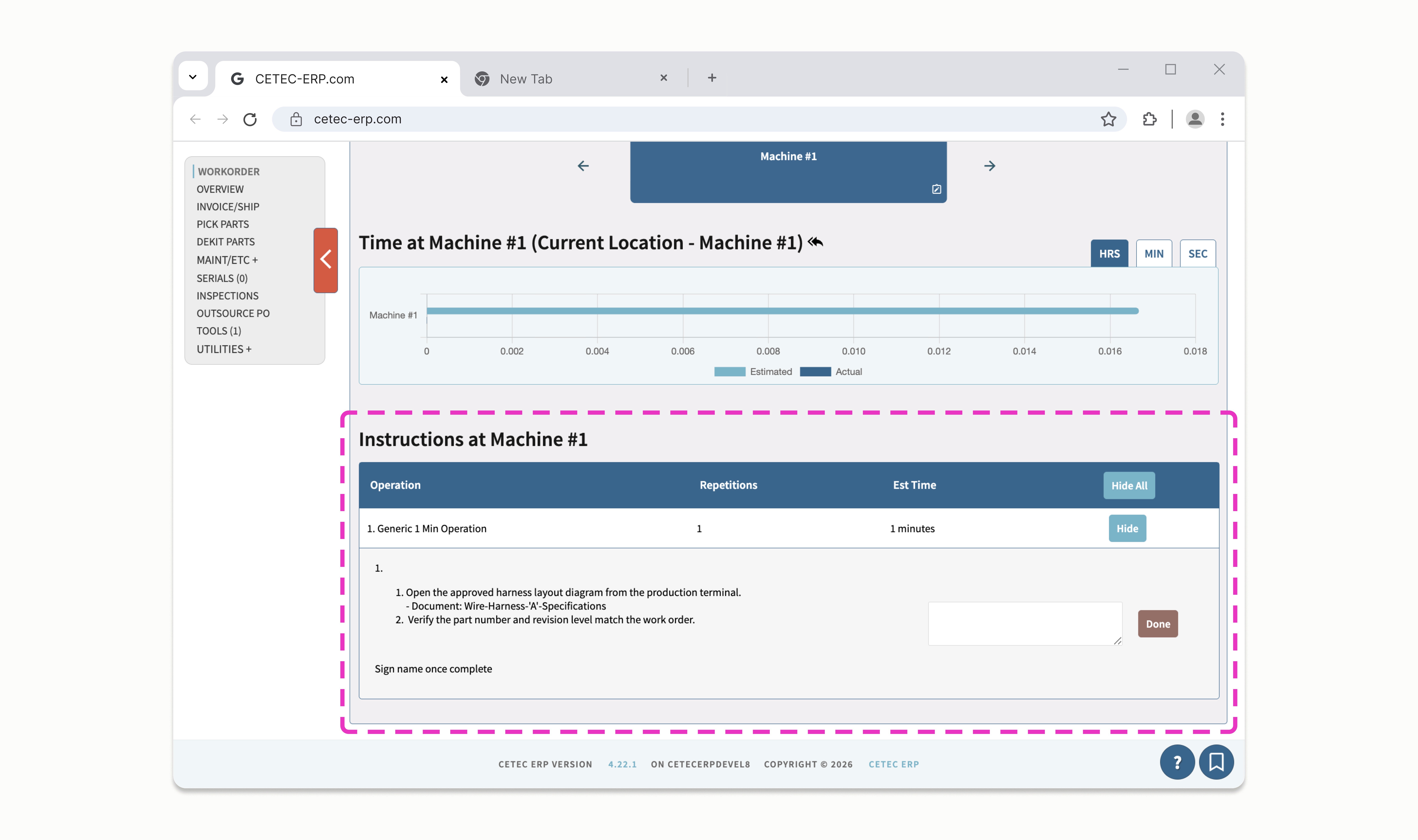
Instructions are hard to access and understand
No ability to include images in instructions, only text
No Clear Call to Action
The primary actions of the Work Order are to log time and move location, but these buttons are tucked away
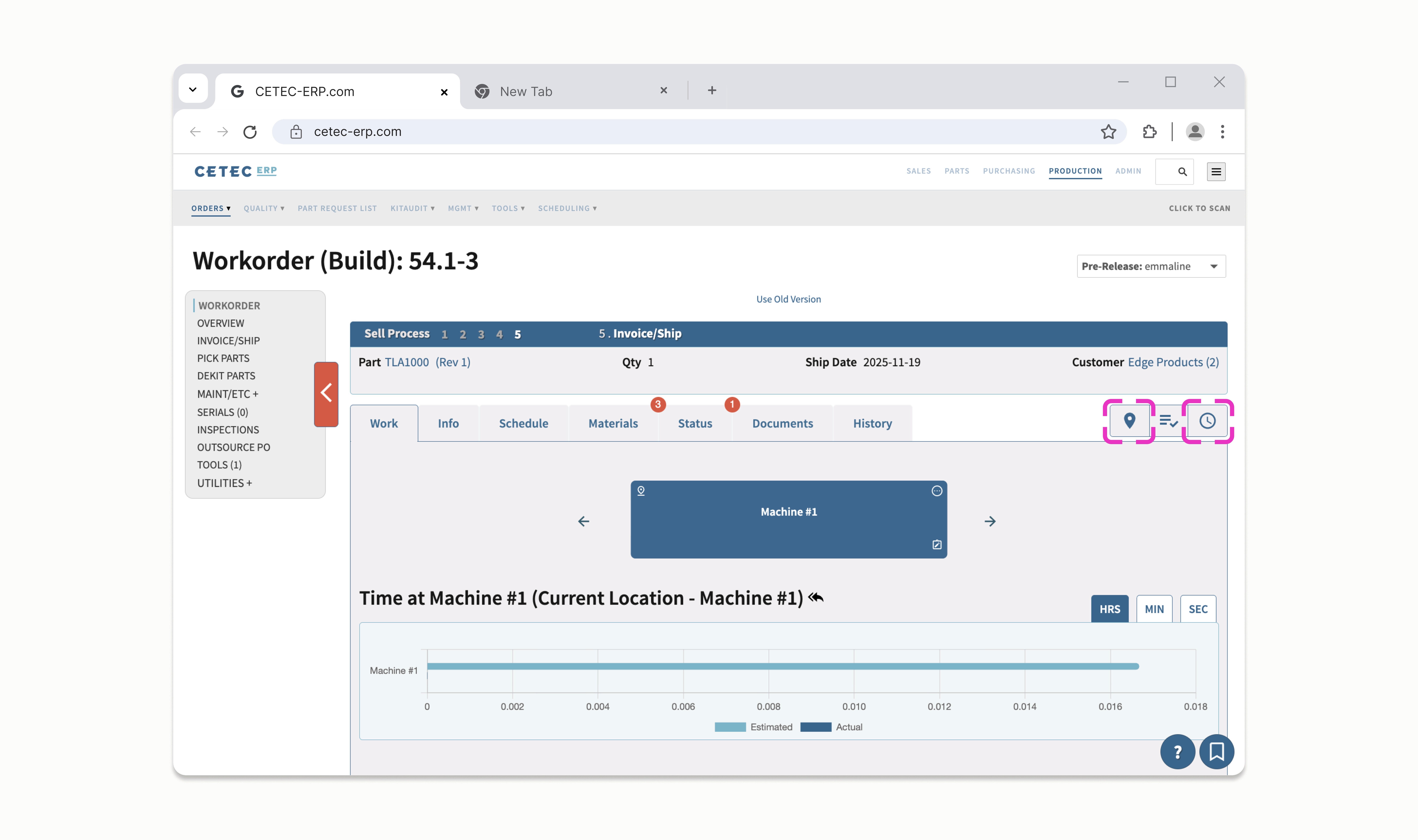
Buttons to start the work timer and move locations are difficult to find
Buttons for key actions don't include labels, only icons that not everyone understands
Limited Ability to Get the Big Picture of the Work Order
Managers and those responsible for end-to-end processes must jump through multiple hoops to get the information they need
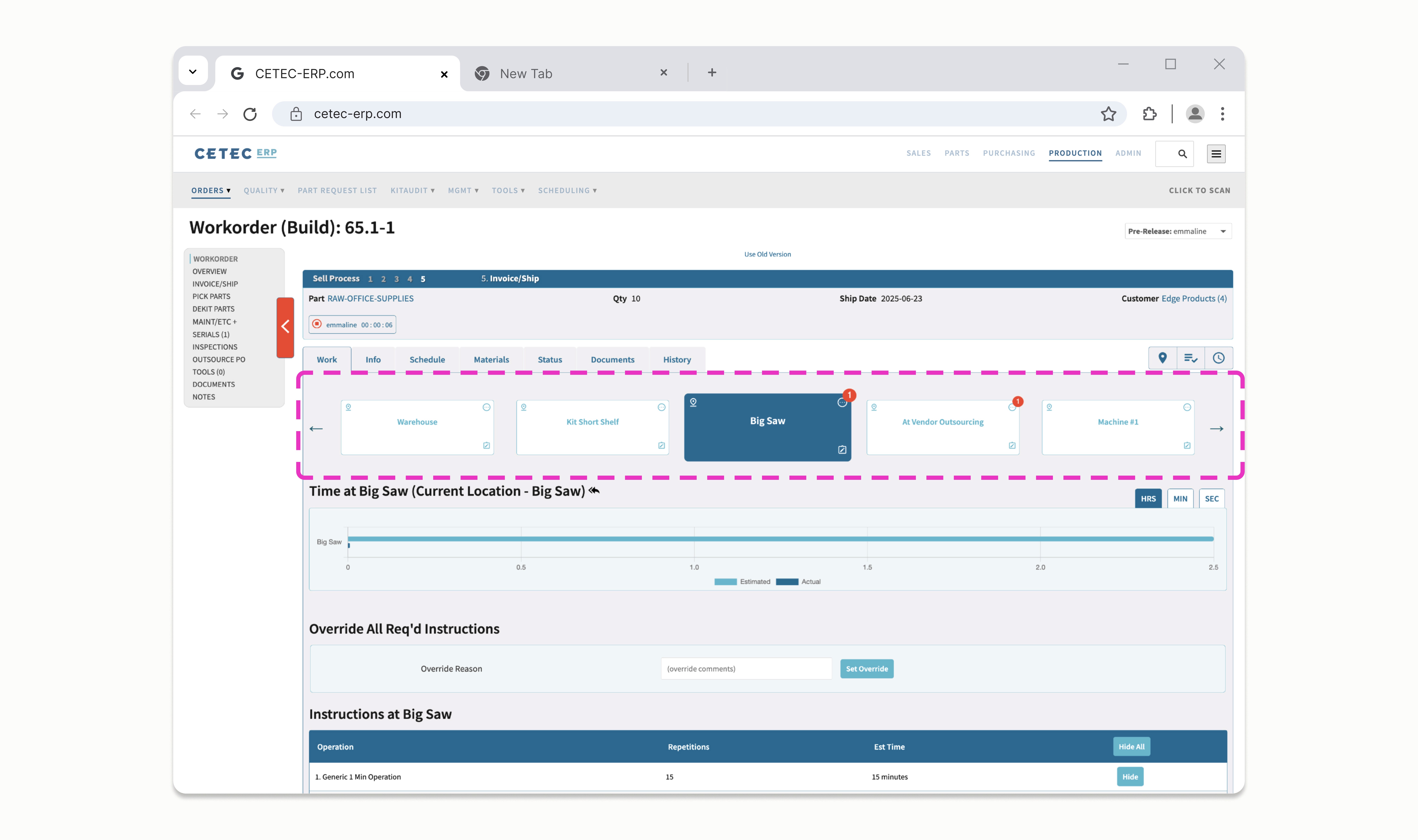
Users must scroll the carousel to see the full scope of the Work Order, requiring them to hold information in memory
Early Iterations and User Feedback Sessions
Content
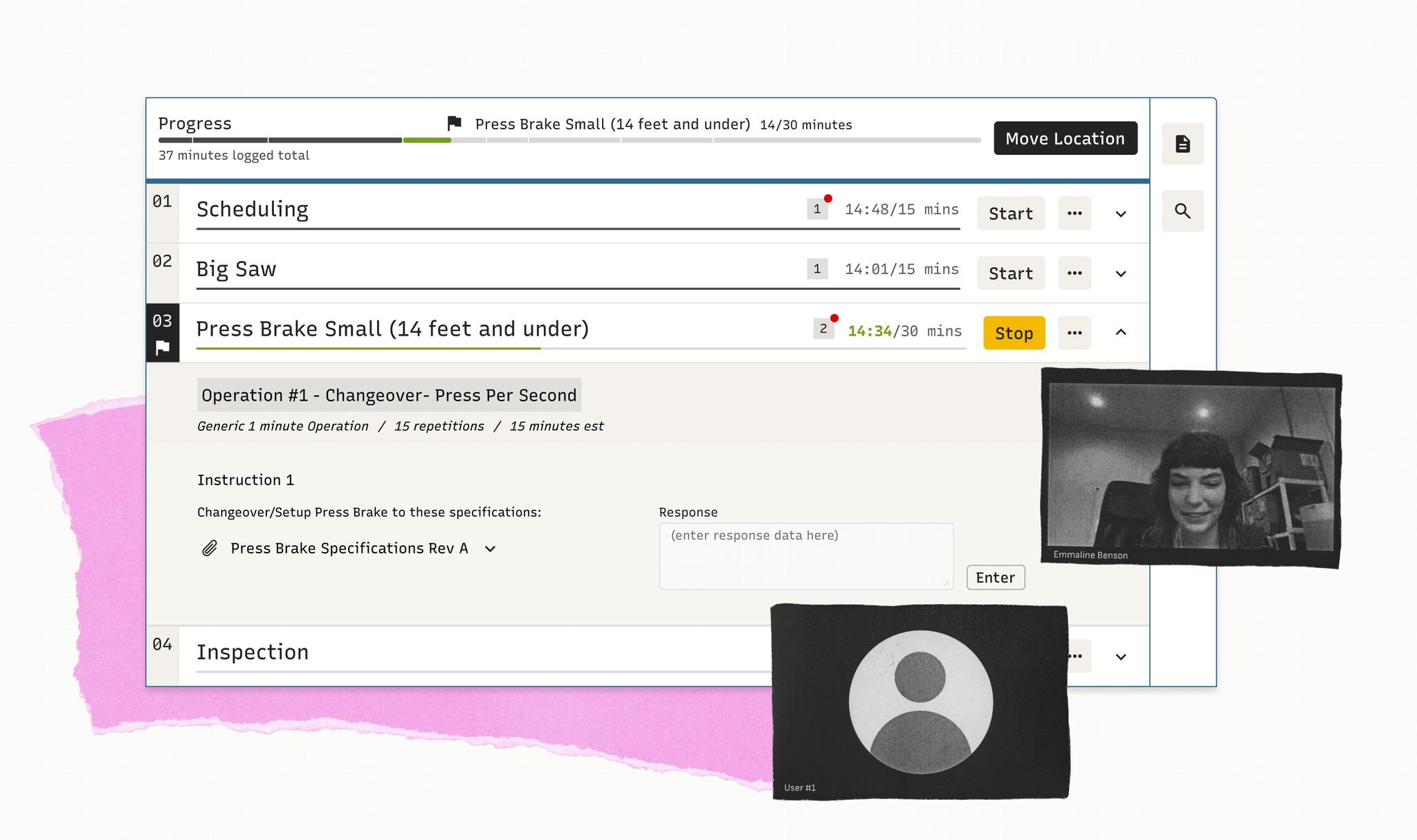
User Feedback Insights

People appreciated being able to preview documents and see images inline
People appreciated the ability to expand and collapse operations and instructions as it gave them control and made the page feel less overwhelming
The new 'Start' button was a hit because it would help prevent common mistakes

Several people encouraged me to keep simplifying; many floorworkers aren't tech savy, so a streamlined, task-focused layout made them feel more comfortable
The Final Designs
Introducing a New & Improved Work Order
The Big Picture:
Placeholder
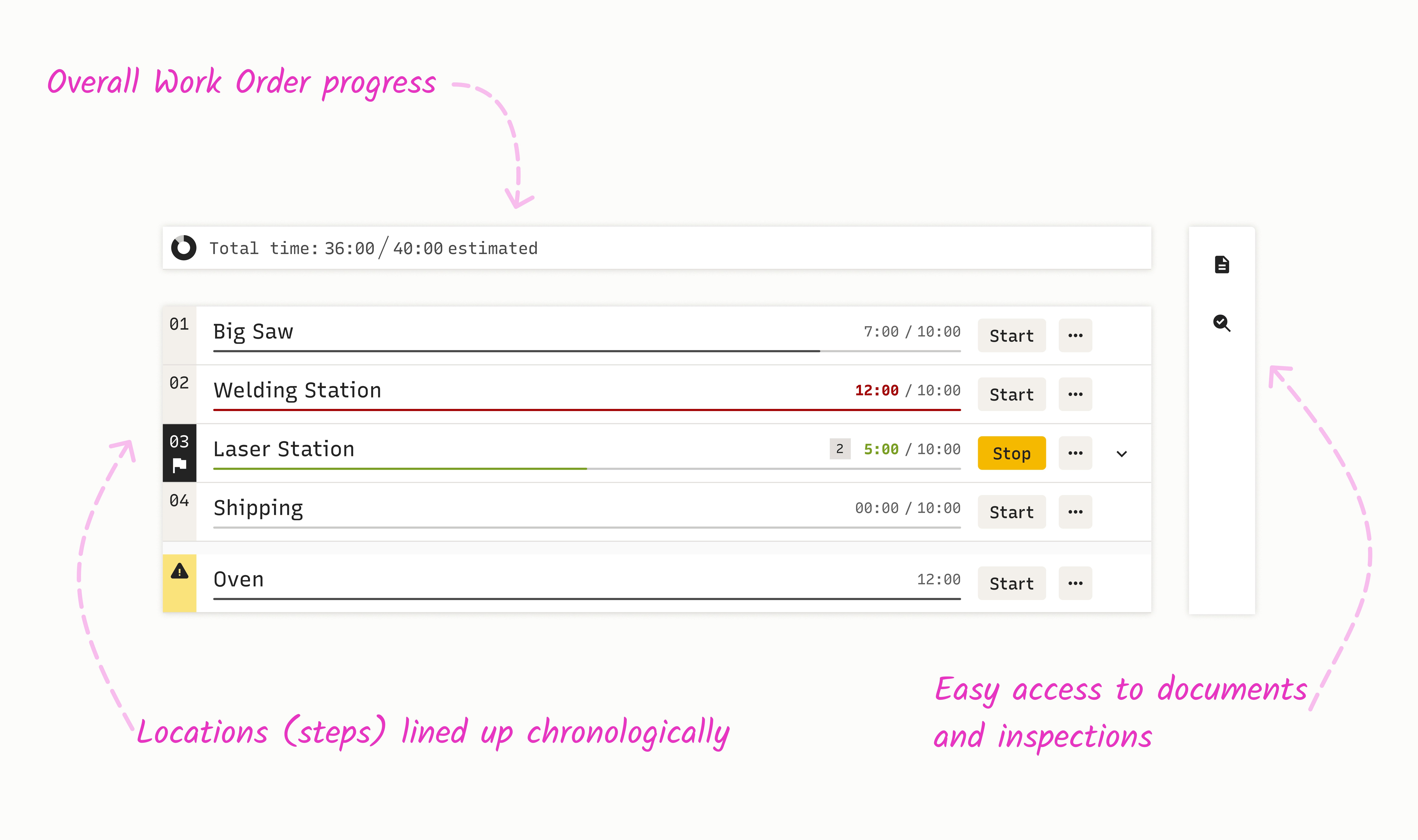
Goal 1: Everything in One Place
Information at Your Fingertips
Users can click in order to documents and images contextually; they can click to collapse when the information is no longer needed
Documents and images can be accessed inline and previewed while maintaining the ability to download, if needed
Essential functions easy to access
Floorworkers can easily identify the specific progress and location of the Work Order. Enabling them to understand the breadth and progress made on the Work Order
Floorworkers can easily understand where they are and what's left to be done on the Work Order
Goal 2: Improve Instructions and Forms
Design Solution:
Information is nested to ensure that is findable and context is understood
Steps can be further expanded to show relevant instructions
Supporting Custom Needs
Flexible instruction format enables companies to support their specific regulatory requirements
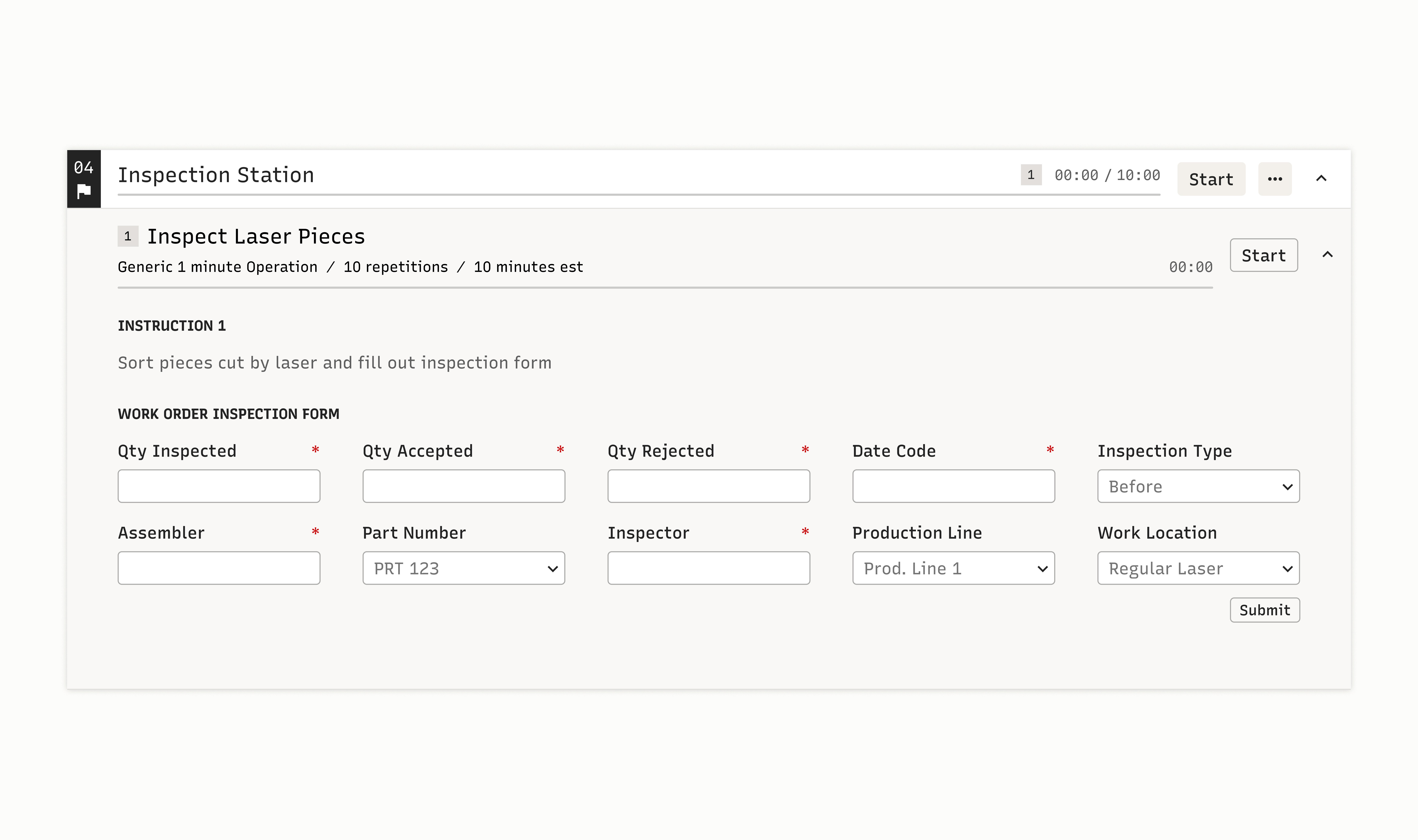
Companies with strict regulatory requirements can easily customize and embed forms to meet their specific needs
Goal 3: Improve Visibility of Progress
Always Available Time Spent
Managers can easily identify total time spent on the Work Order, enabling them to quickly identify potential problems
At a glance, Managers can assess a Work Order's progress
Always Available Chronological Progress
Floorworkers can easily identify the specific progress and location of the Work Order. Enabling them to understand the breadth and progress made on the Work Order
Floorworkers can easily understand where they are and what's left to be done on the Work Order
Dev Handoff
Time to Build!
content goes here