Untangling Navigation and Actions
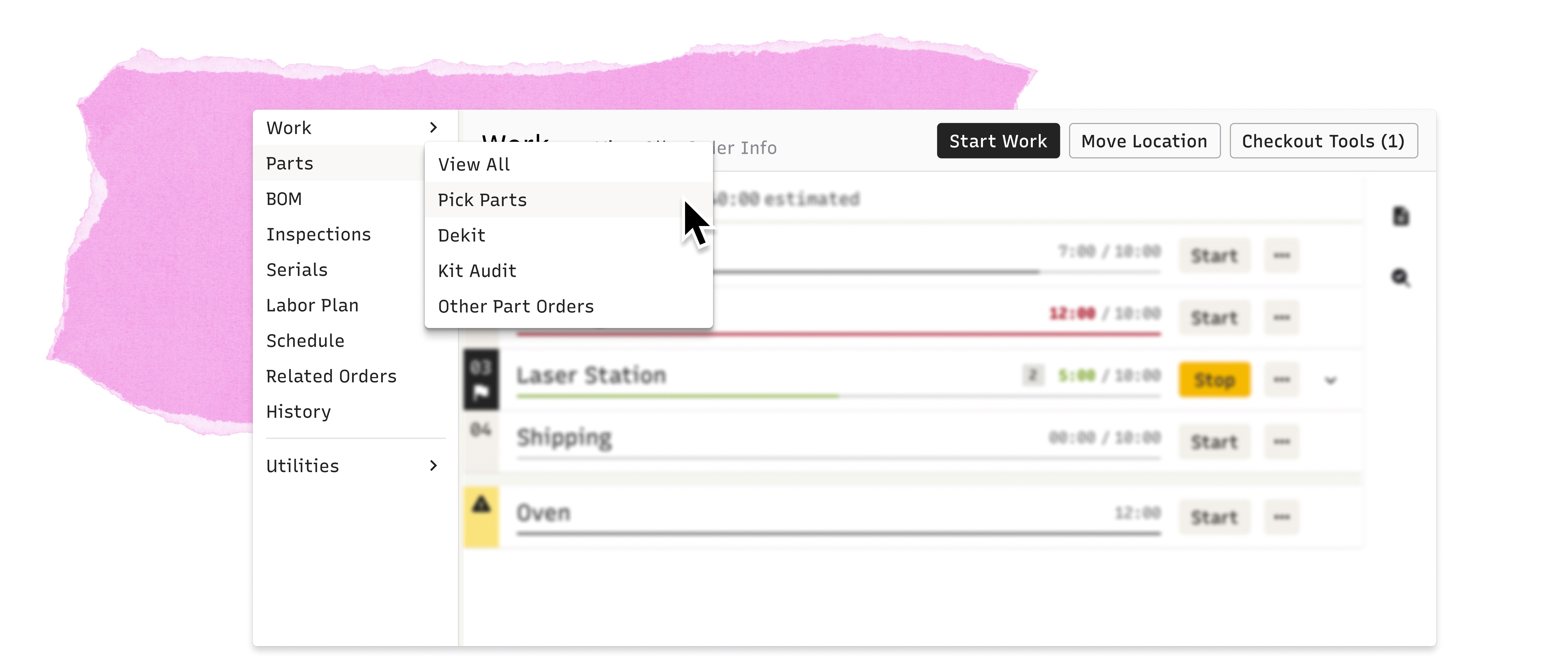
Simplified navigation that makes it easy to get around and get things done
Understanding the Product
A Powerful System Can Become Overwhelming When Everything Lives in One Place
The Problem
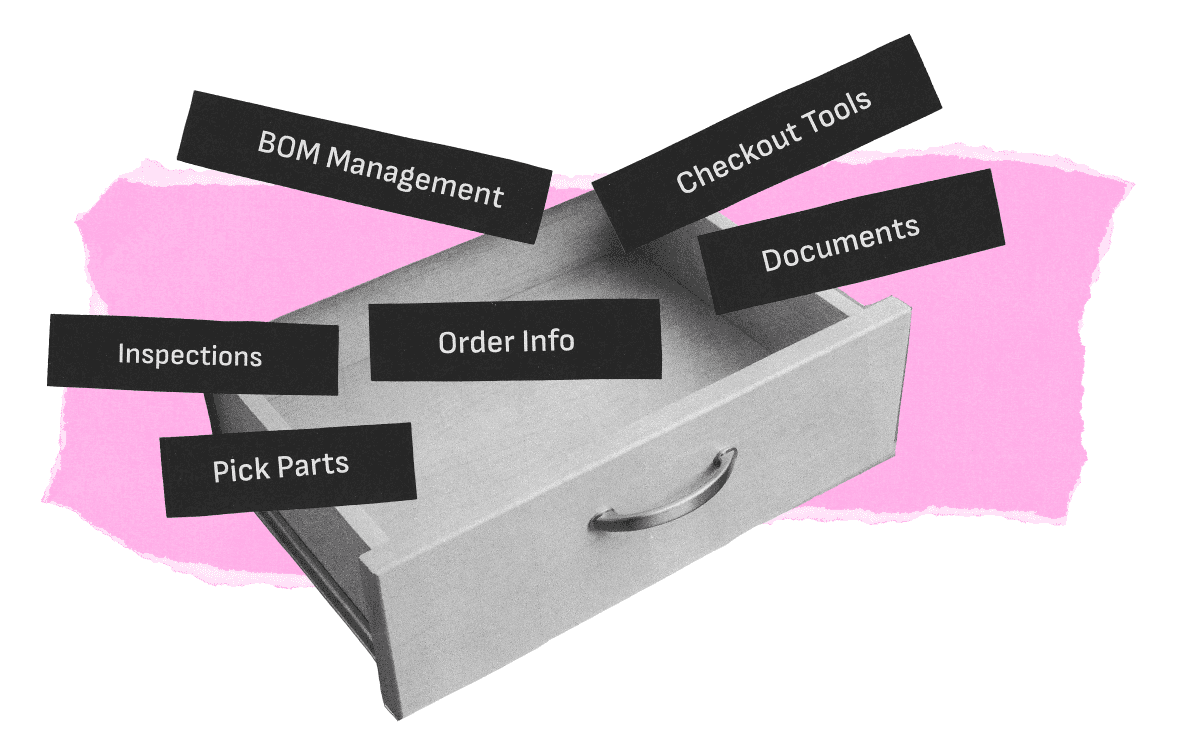
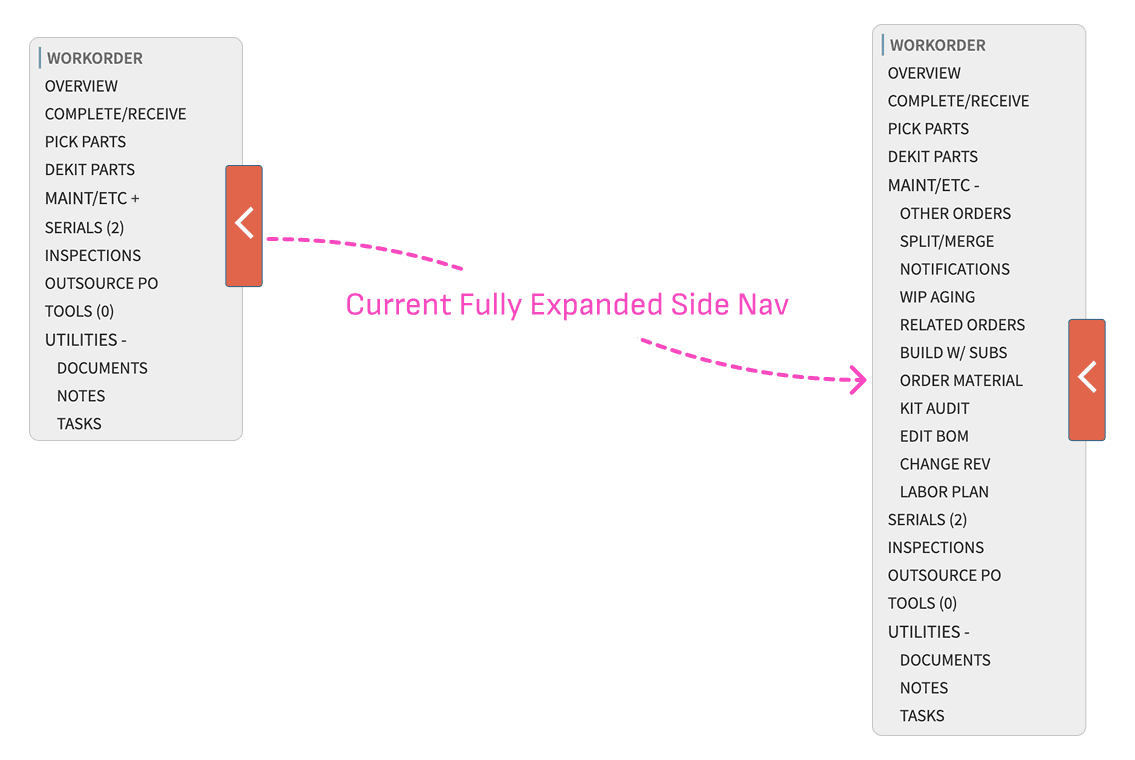
A Laundry List with No Clear Groupings or Differentiation
The system leans on a left-rail panel to provide access to navigation and actions, with links, filters, and action-driven views all mixed into one long list.
To complicate matters, buttons behave differently depending on the user’s context, making it hard for users to understand and feel confident in the system.
Our Goal
Make it easy to move around and take actions
Research
Mapping the Current System
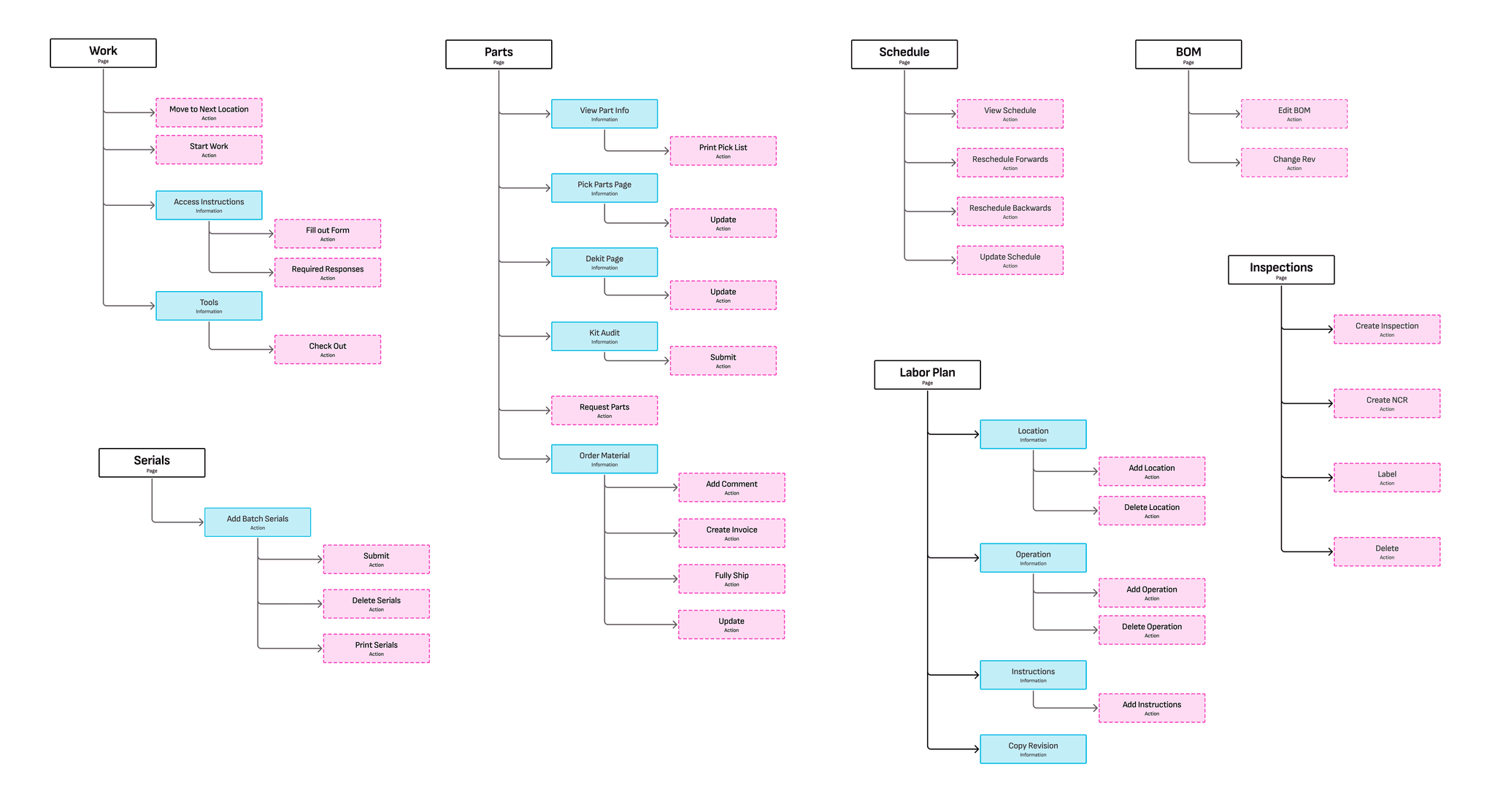
Our initial work focused on untangling navigation and actions in the Work Order part of the Cetec system.
I mapped every page connected to the Work Order, identified the primary goal associated with each, and created categories. I also interviewed Cetec team members to get feedback on my categorization scheme and to understand how customers talked about these pages.
This process clarified the general organization and showed that some pages exist to display information, others support workflows, and others primarily enable actions. Now I that I had the contents of the navigation, it was time to think about how to lay it out.
Analysis
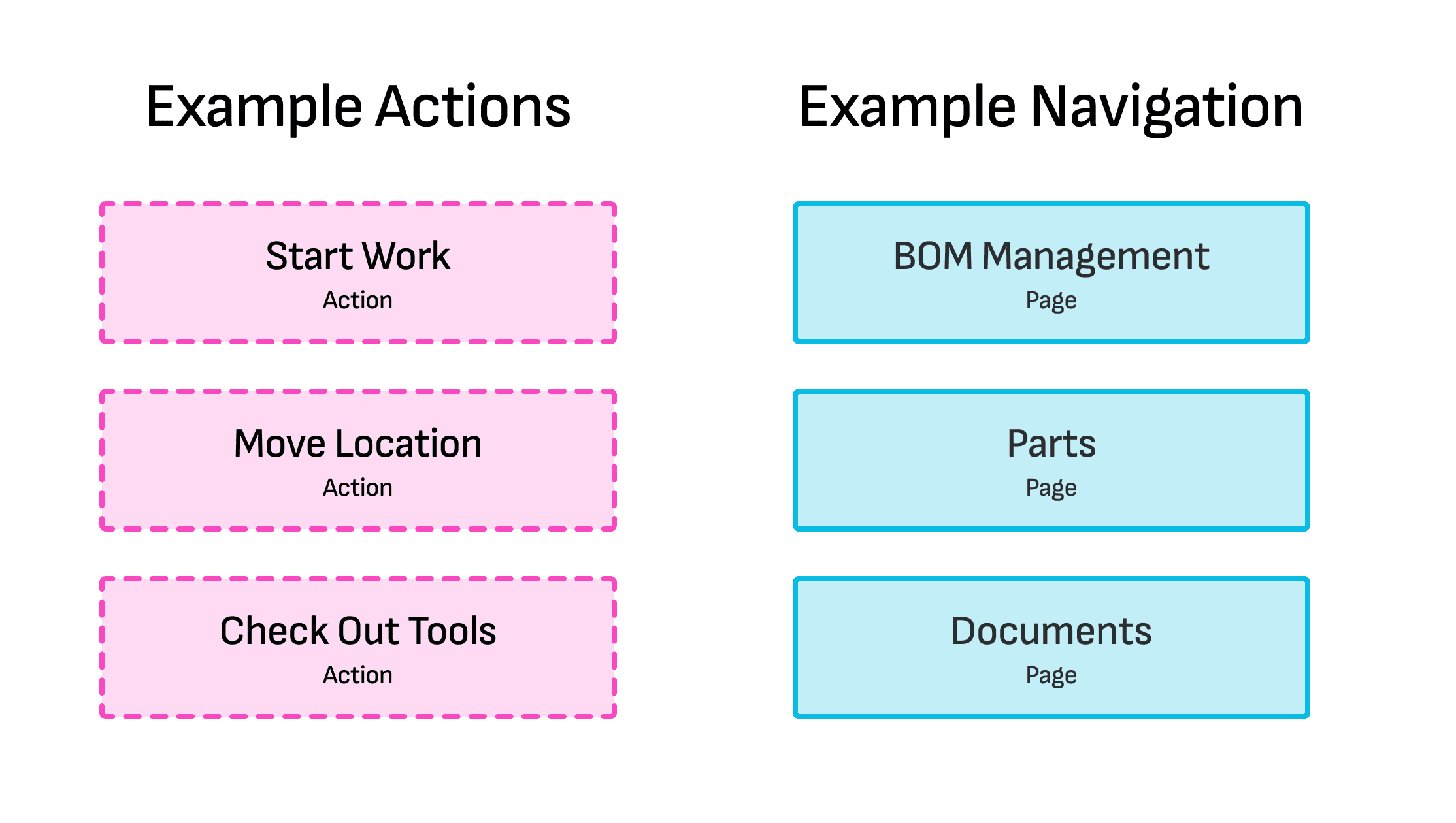
Actions ≠ Navigation
The previous navigation design treated navigation options and actions in a comparable manner, making it difficult for users to differentiate them.
We wanted to detangle actions and navigation in the redesign.
Competitive Audit
Identifying Well-Understood Patterns
I reviewed navigation patterns in other complex software products to look for inspiration and examples.
I wanted to understand if there might be approaches for communicating hierarchy and for providing access to actions and navigation options that users would readily recognize.
This review helped ground my redesign and inspired me to explore a collapsable left rail navigation.
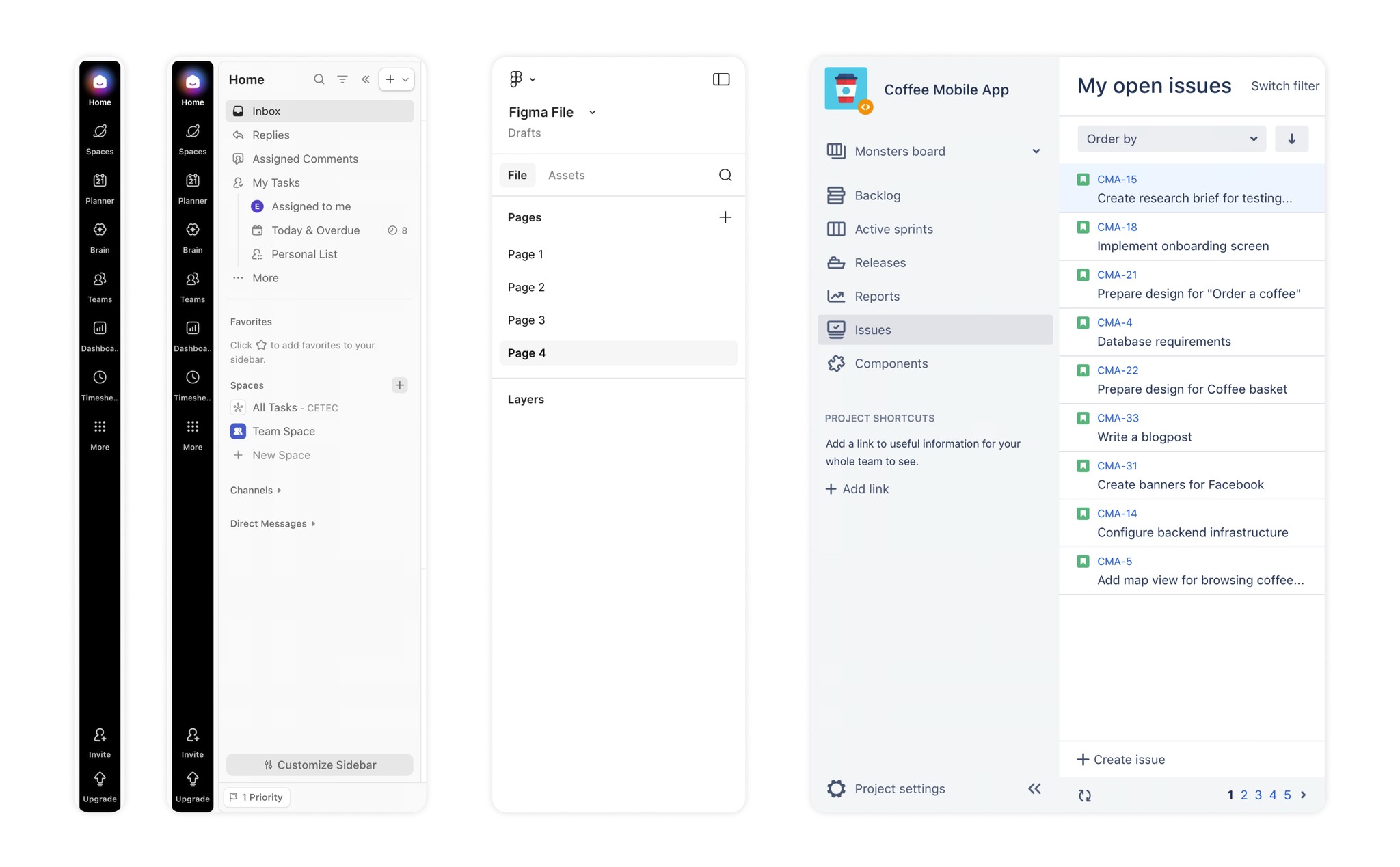
Side Navs from ClickUp, Figma, and Jira
Explorations
I created a series of functioning prototypes with a new navigation structure.
I wanted to explore hover states and how best to display subnavigation and provide access to actions. I also created a version to explore a collapsible left rail that displayed only icons when it was closed.
I had a lot of ideas and needed feedback!
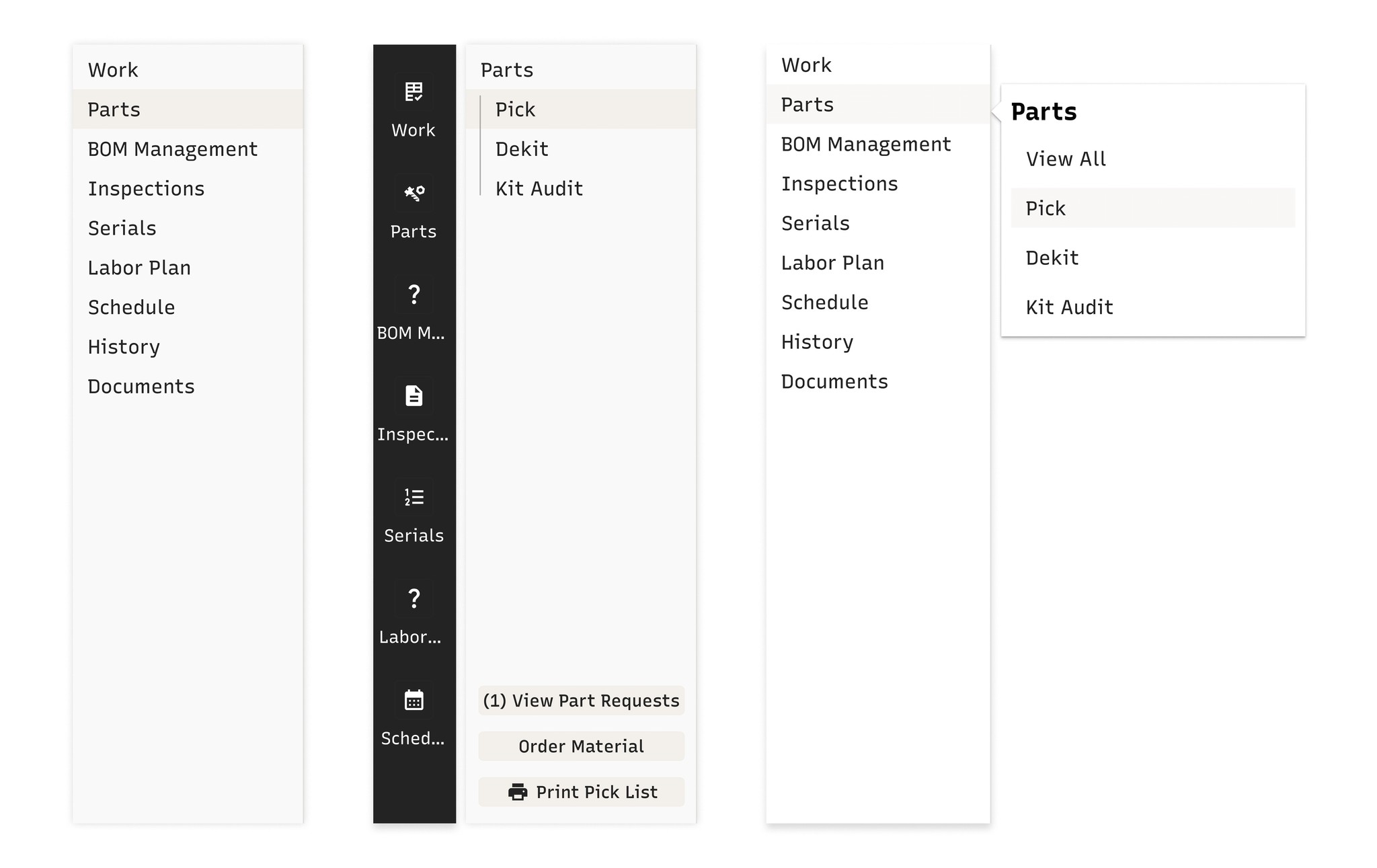
Some early ideas
Idea 1: Collapsable Side Nav
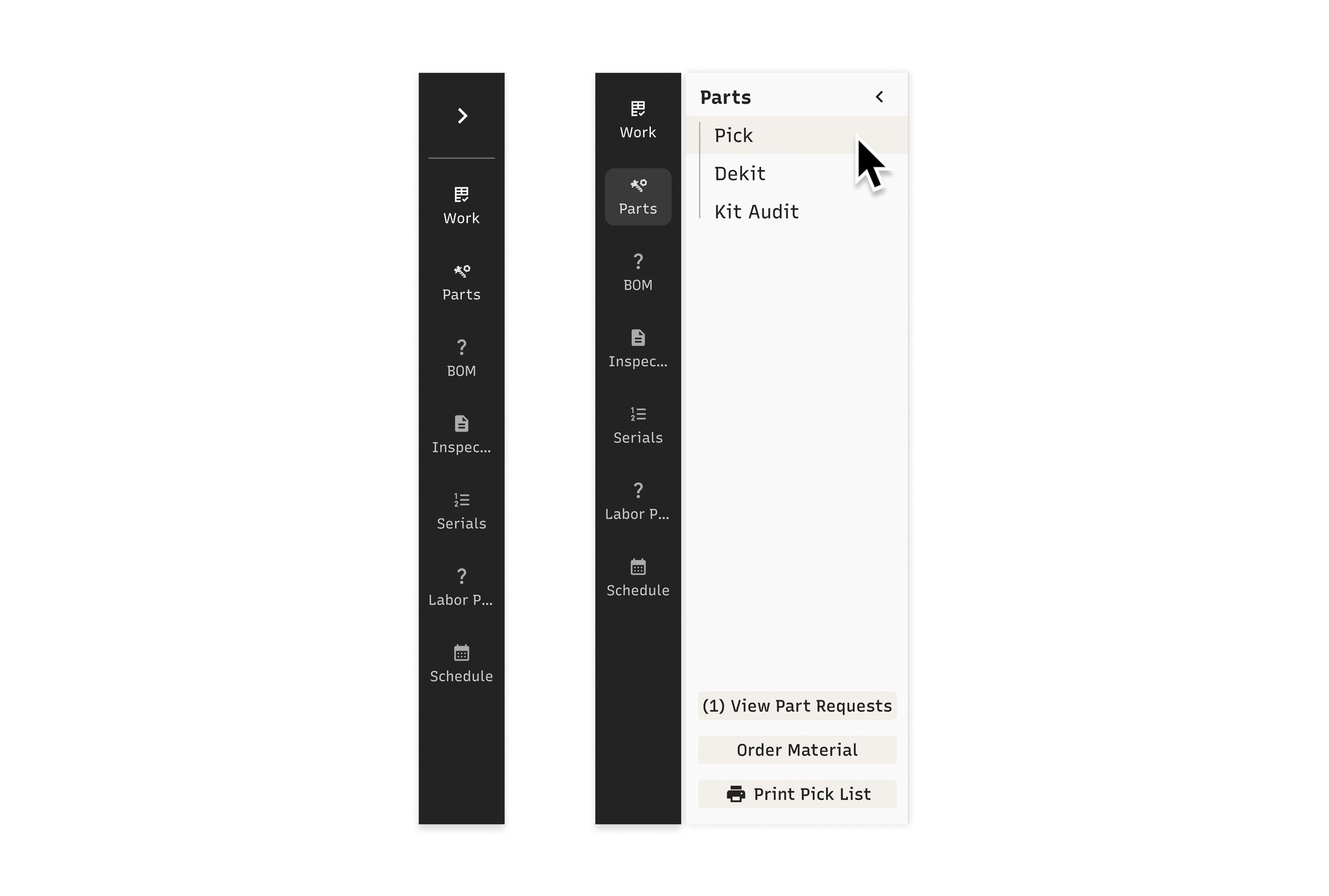
I pursued an option with a collapsed side nav that users could expand on click in order to free up real estate.
I also experimented with icons to provide users with visual cues and modernize the interface.
Additionally, I played with including action buttons within the sub navigation as this presented an opportunity for in-context actions.
Stakeholder Feedback
I met with stakeholders from Sales, Product, and Engineering and heard their feedback after they used the first prototype to explore Idea 1.
Stakeholders appreciated the organized and simplified side nav.
However, they raised strong concerns that the collapsible side navigation would require more clicks for users to reach their destinations than what they have to do today. To further complicate things, this approach wouldn’t scale well across the product suite, and so many icons could be overwhelming. We decided to nix the collapsible side navigation and icon options from consideration.
Idea 2: Side Nav with Hover
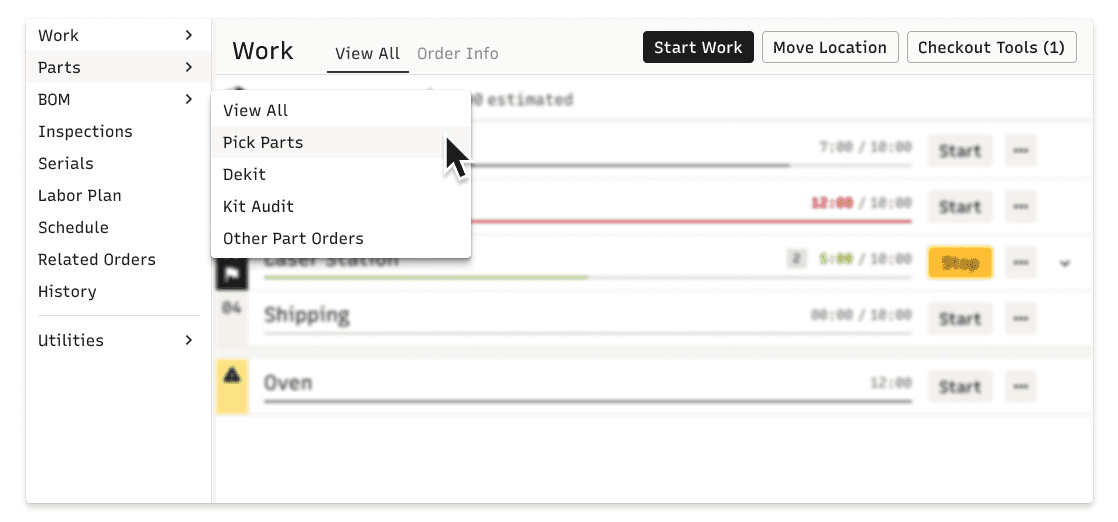
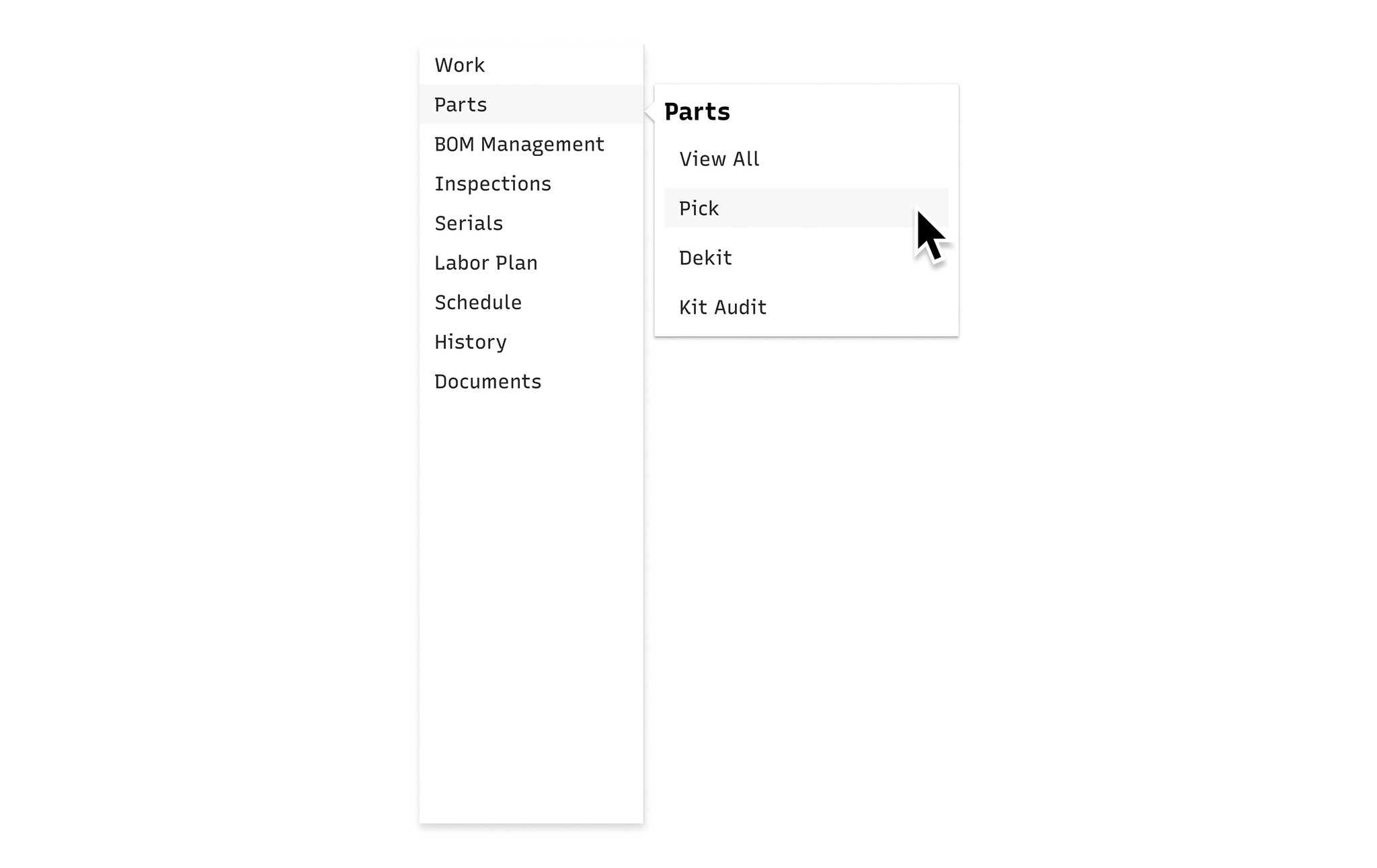
With the stakeholder feedback in mind, I explored a second side navigation design that removed icons and used a hover state to provide access to nested pages.
With this iteration, users would not have to click more than once to reach their destination.
Scrappy User Testing
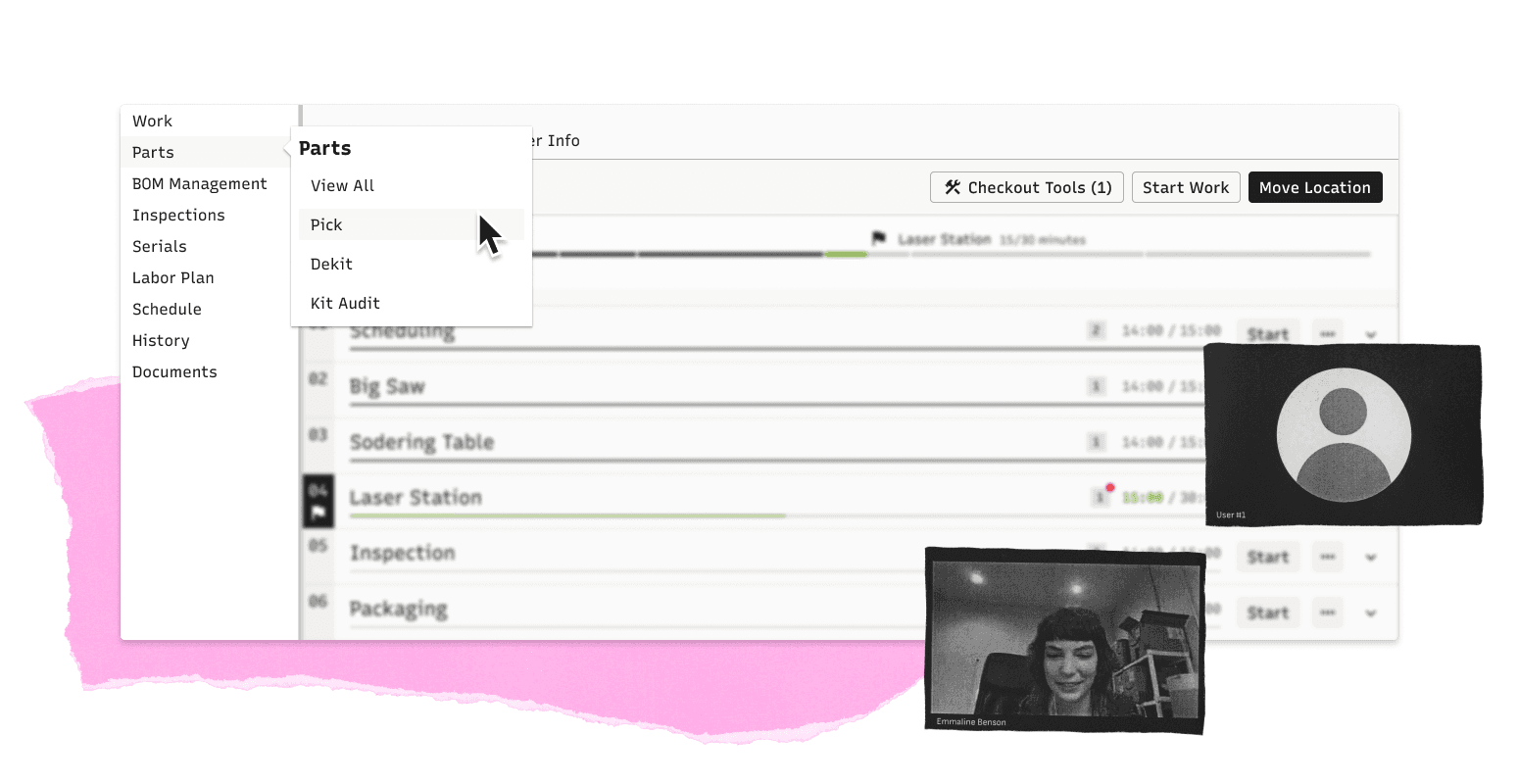
As part of a fast, scrappy round of testing, I spoke with three active Work Order users to get early feedback on Idea 2.
I started by walking through a typical task flow with my functional prototype, demonstrating the nested navigation structure in the process.
I then asked users to use the prototype on their own to find a specific page. Everyone easily used and understood the side nav: all users successfully located the target page with no errors and commented that the new navigation was understandable.
Introducing a New & Improved Navigation
Simplified & Scannable
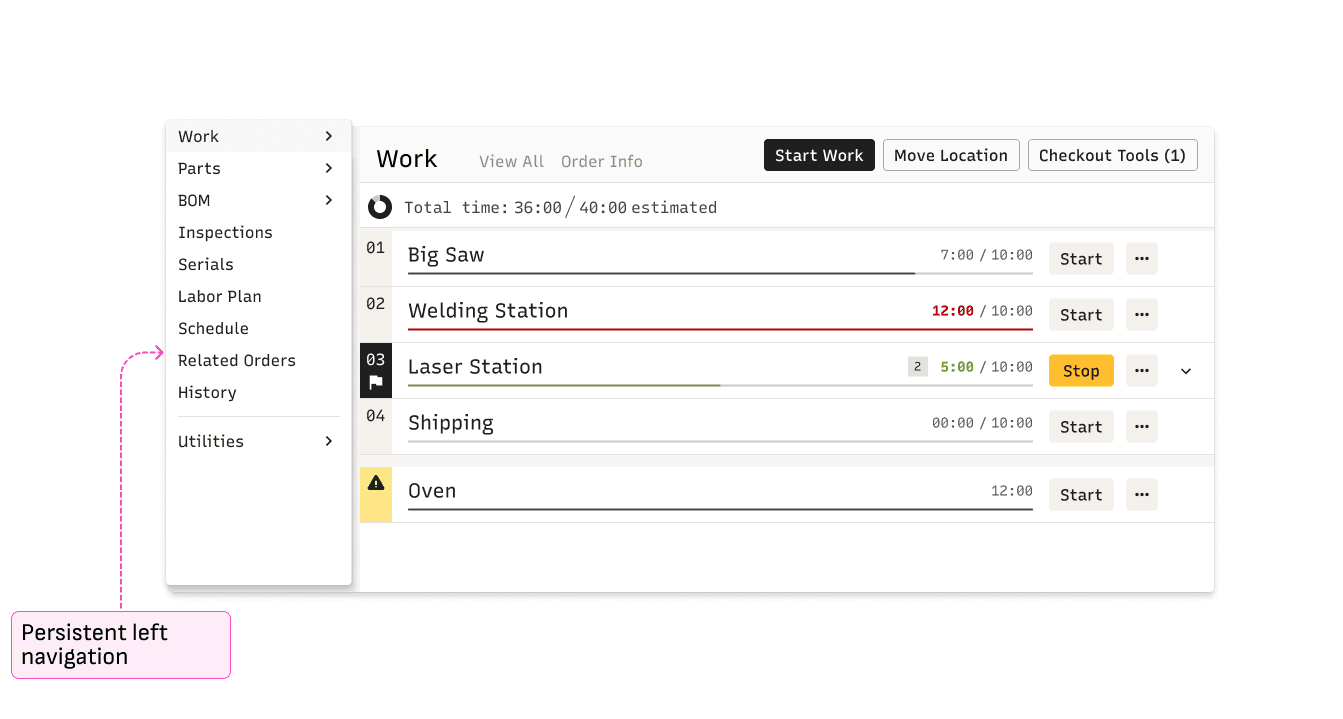
A Simple Side Nav
The new design reduced the number of options displayed in the side nav from 25 to 10.
This clean and minimal approach reduces cognitive load and improves findability.
What Belongs Together Lives Together
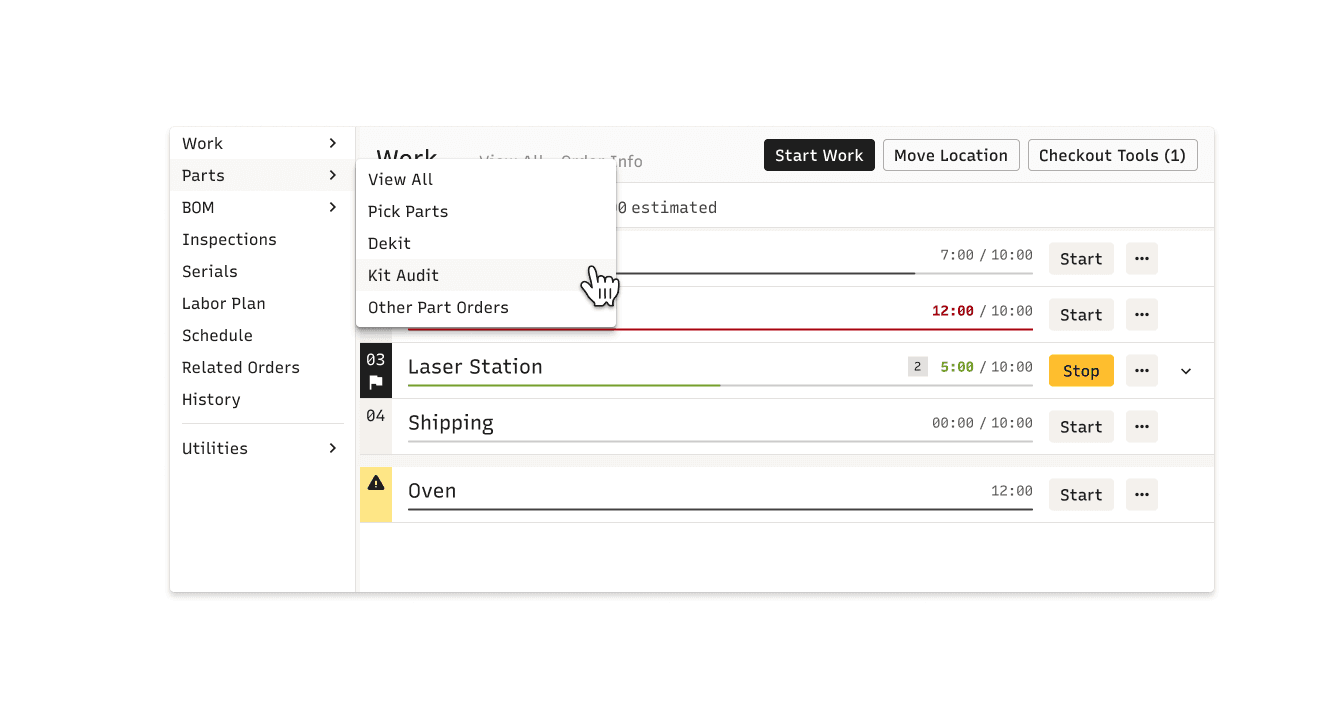
Grouped Nav
Conceptually similar navigation options are grouped and presented together.
Users no longer need to memorize where options live in a long list!
No Extra Work Required
Same Number of Clicks
The new design did not introduce any extra clicks for users to reach their target destination.
Efficient Access
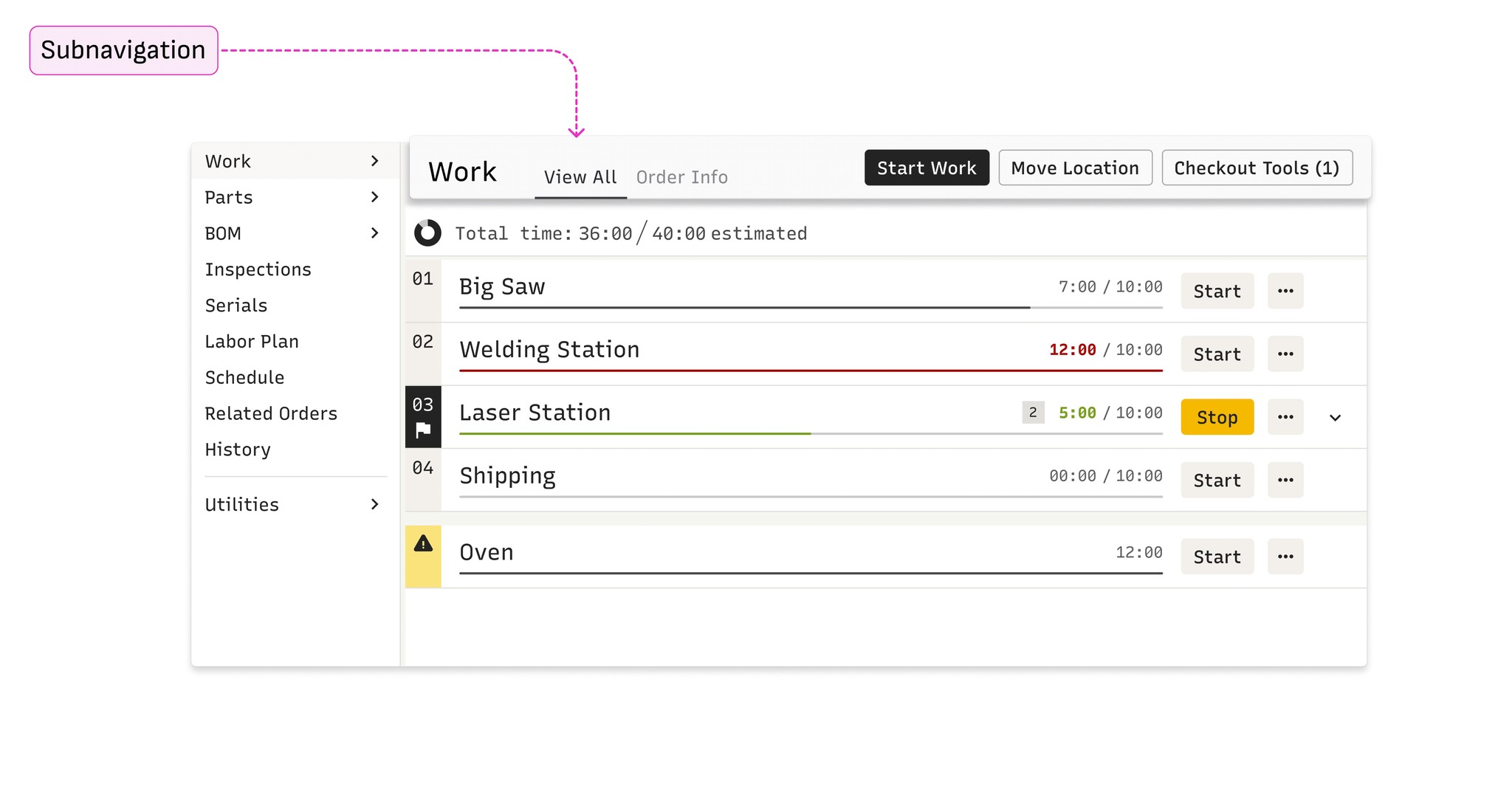
Easy to Reach Related Areas
Users can easily navigate between related areas via the subnavigation.
Clear Differentiation
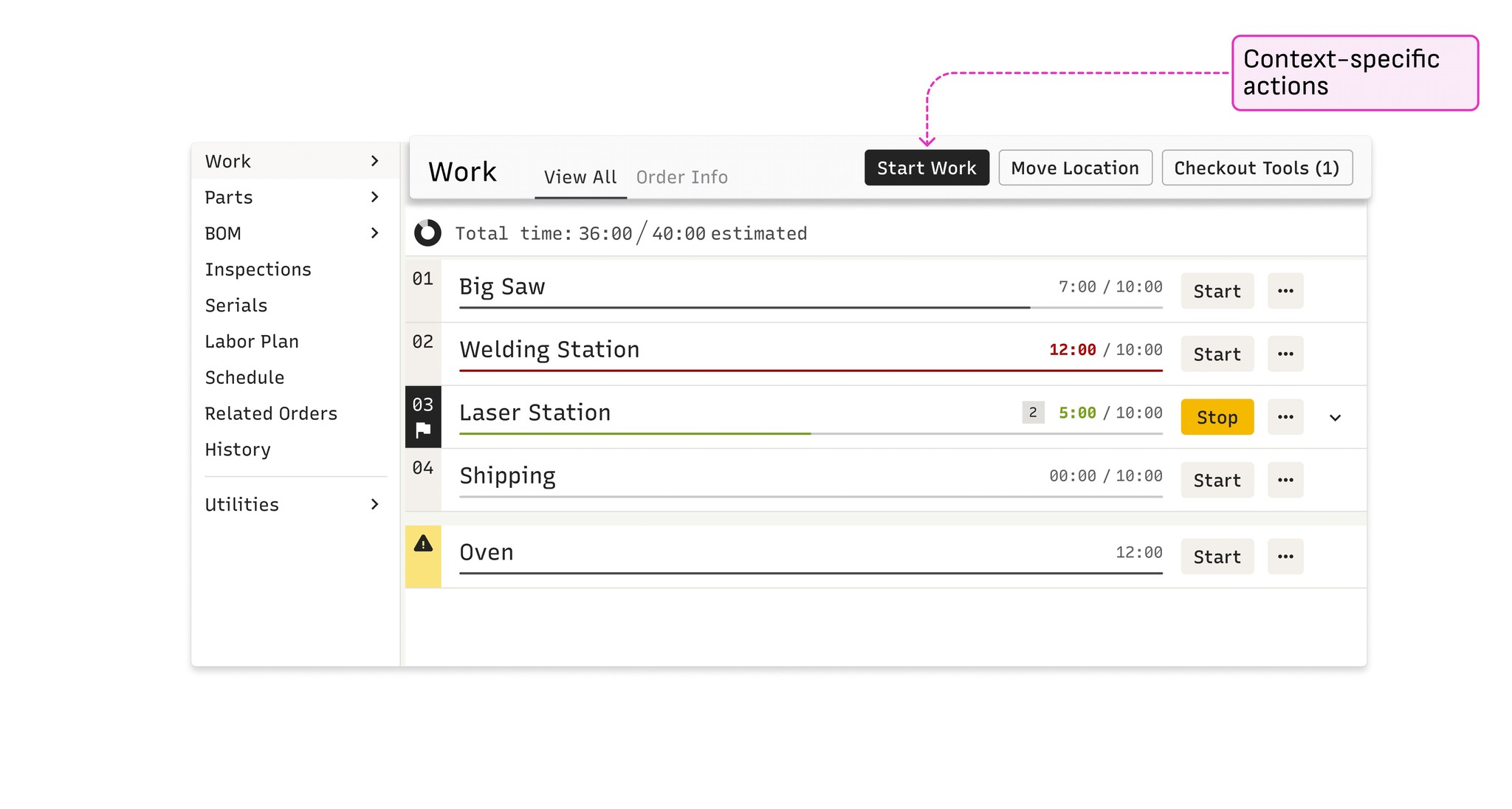
Dedicated Home for Actions
Actions always live in the same area, making it easy for users to understand what can be done given their current context.
No more hunting when you need to get something done!
Time to Build!
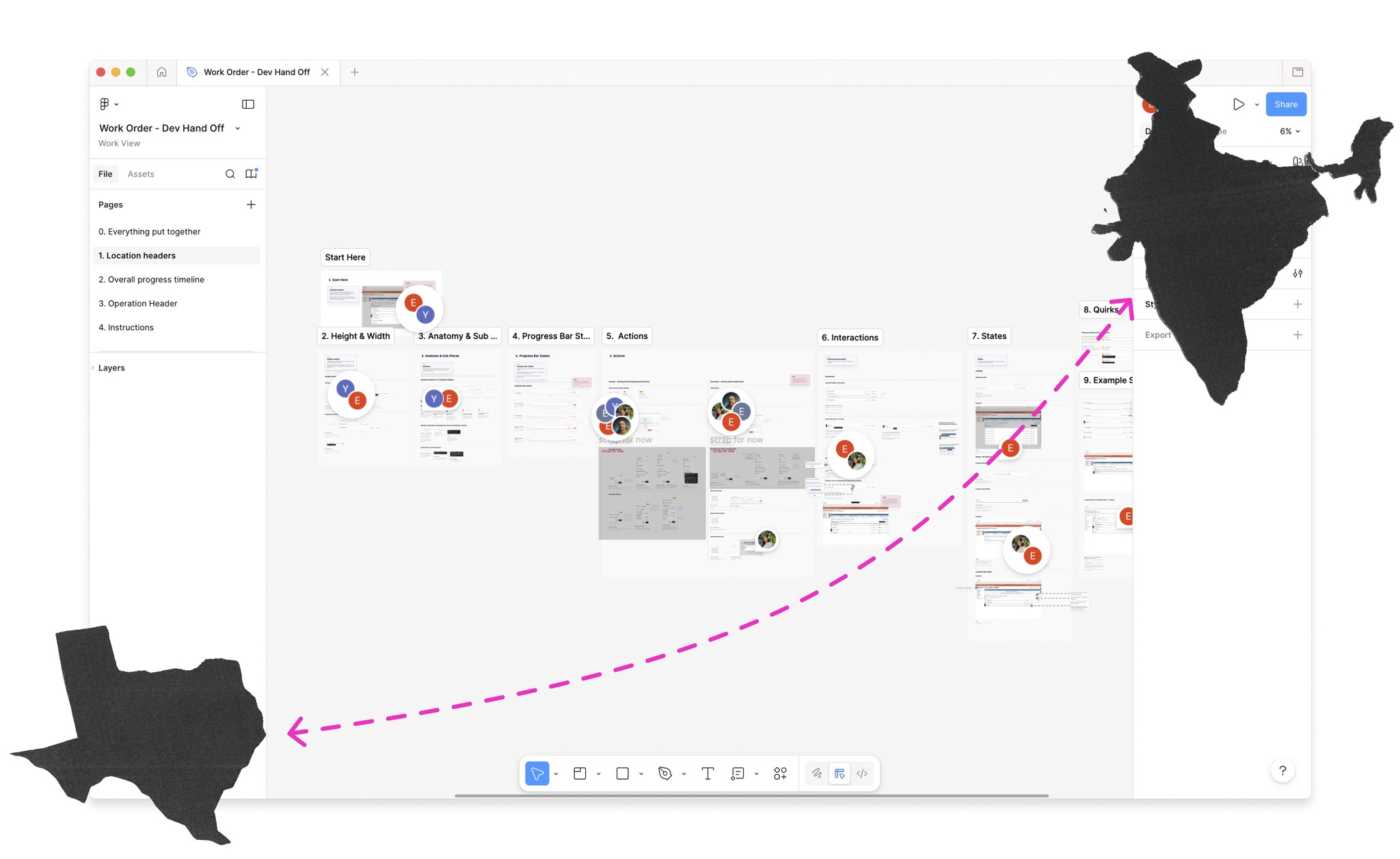
I created a developer hand-off document that described the new navigation and contextual action options and how they should behave across different scenarios.
As the navigation was built out, we realized that we needed to allow for some exceptions to our contextual action design for the first release given its scope and timeline.
Essentially, we’re not able to fully realize contextual actions in V1, but we plan to address these scenarios in future releases.
Final Thoughts
This project gave me an opportunity to really dig into information architecture. I had to think through the permanent side nav and what should appear in the hover state, much like a nesting doll while also ensuring easy access to contextual actions.
It was a lot to coordinate and the stakes were high because we were creating new design system components, and this paradigm will eventually exist throughout the Cetec ecosystem!