Providing a Consistent Overview
Redesigned header that makes it easy for users to quickly and confidently understand the task at hand
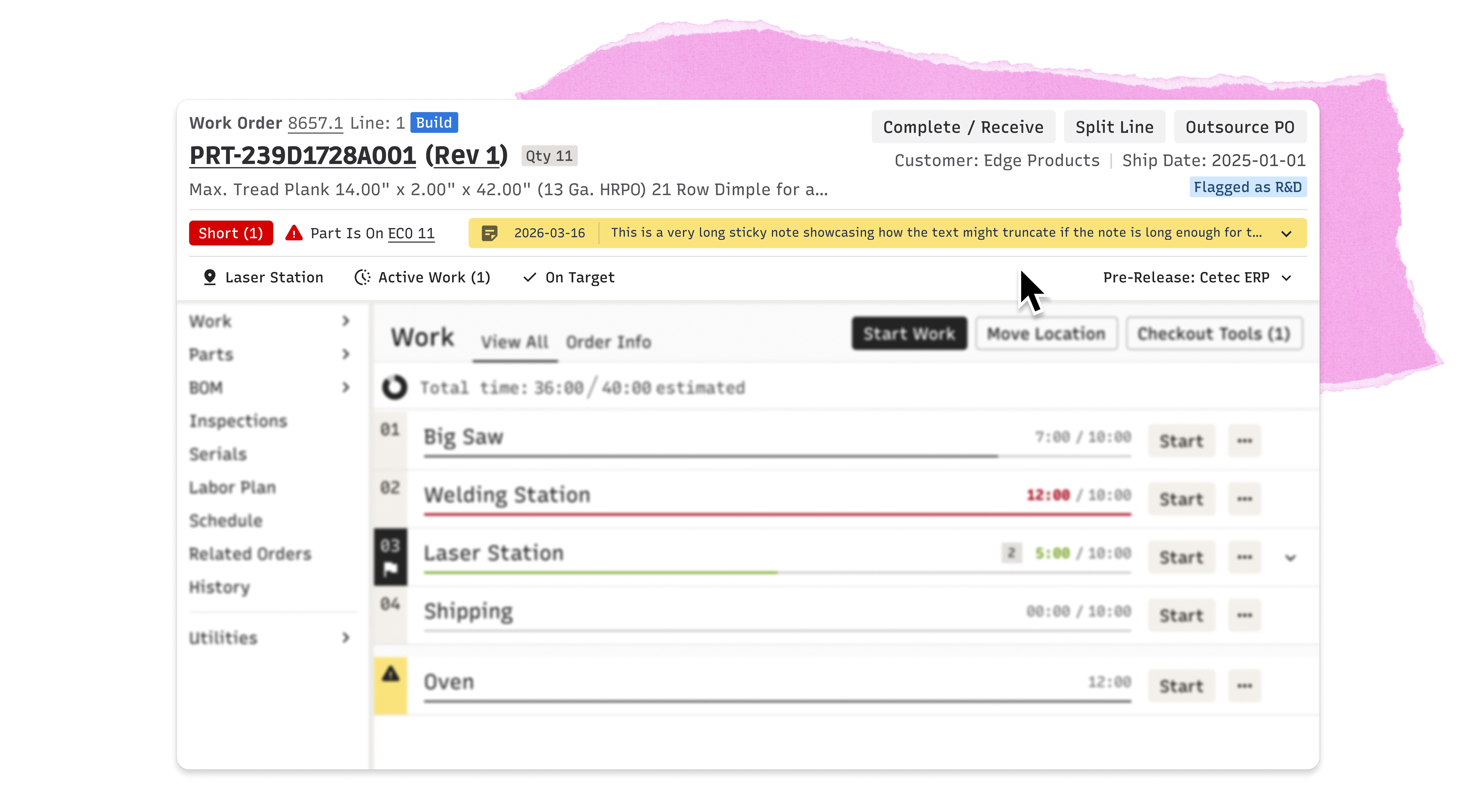
Understanding the Header
A Small Component With a Big Job

The Problem
A Hodgepodge and No Clear Hierarchy
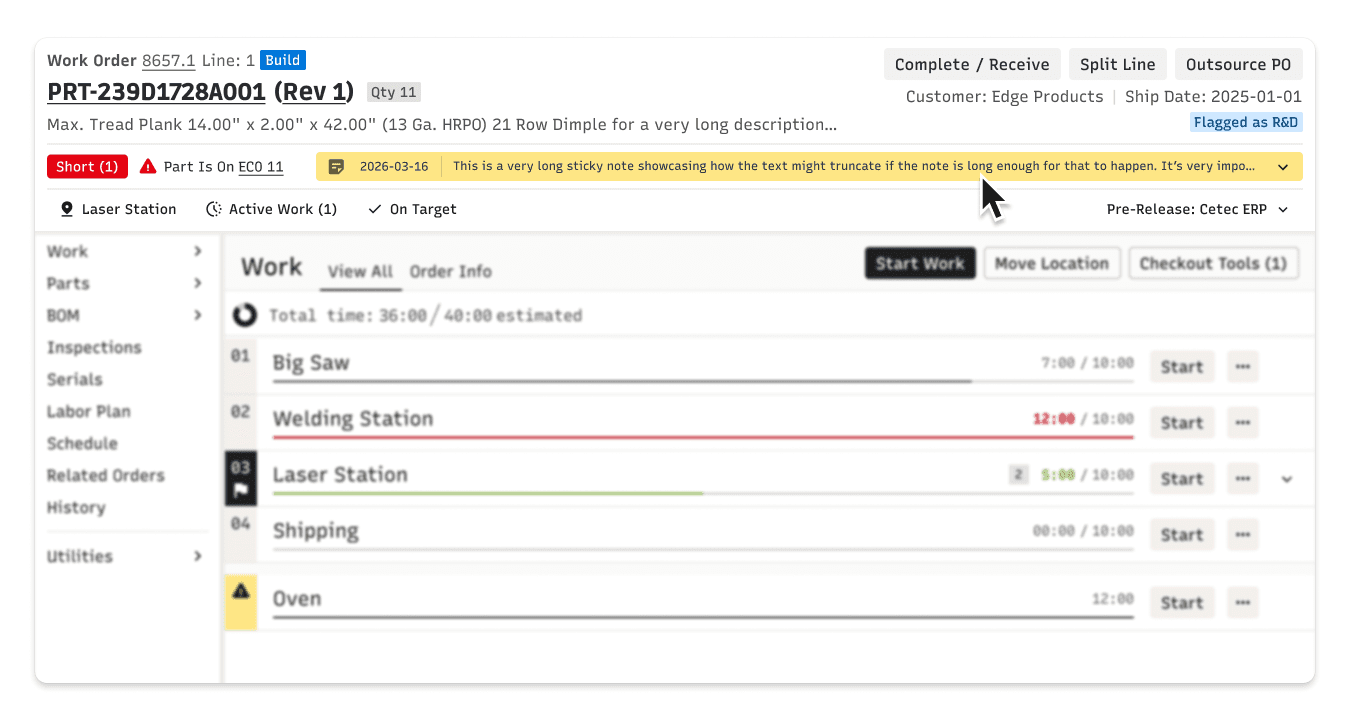
The current header lacks a consistent organizing framework in terms of its contents and how that content is visually presented, making it difficult to quickly scan and understand.
The header's presence across Work Order pages, and its role in providing easy access to essential, frequently referenced information made this redesign a high-impact opportunity for improving product clarity and consistency.
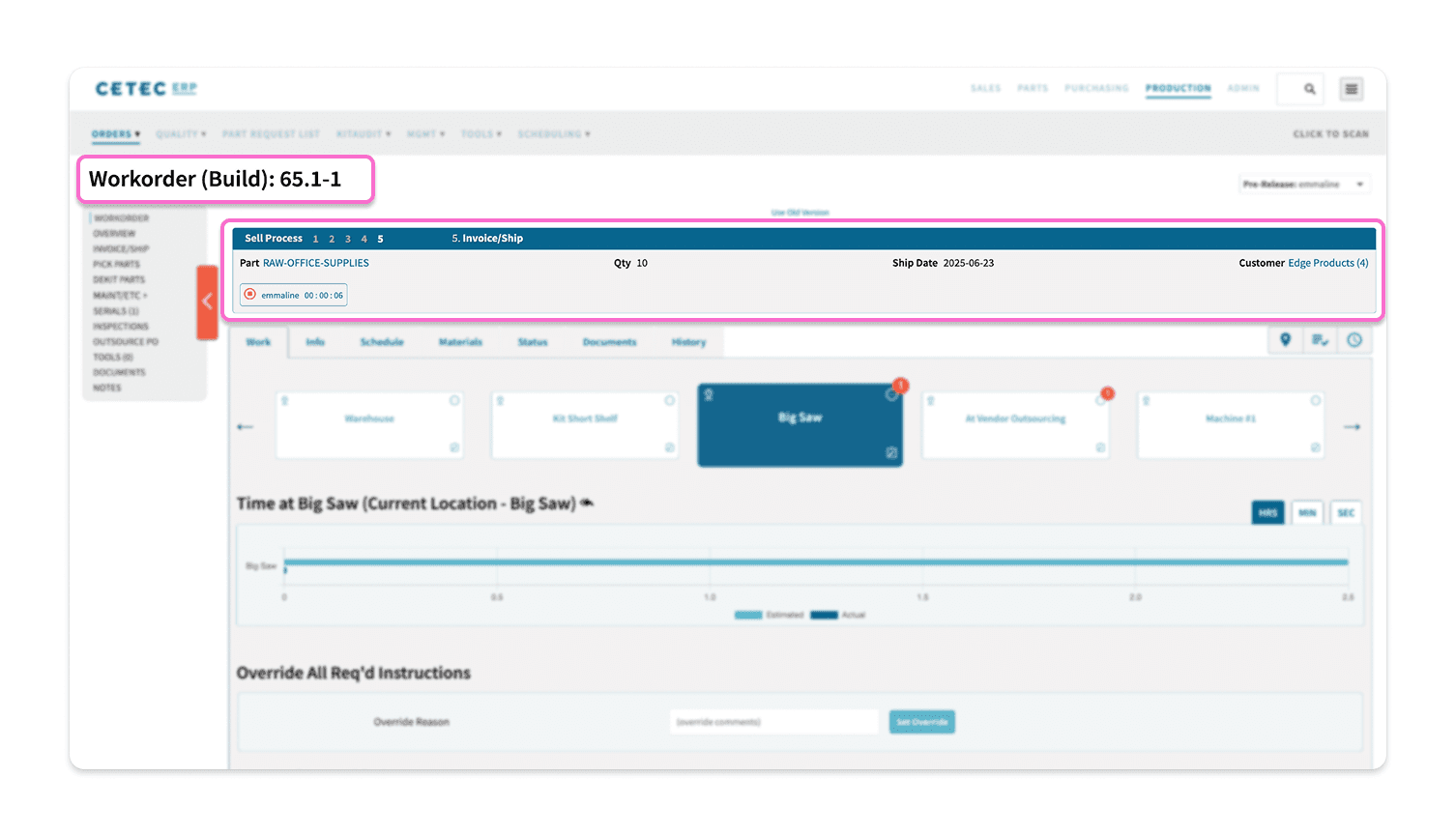
Our Goal
Make it easy for users to quickly and confidently understand the task at hand.
Research
Audit
I started by documenting every existing header state. There were a lot. With all the permutations, there were more than 30!
Static information about parts and customers sat alongside dynamic status and alert information without clear differentiation. Alert information was not consistent, either in content or placement. So many opportunities for improvement!
The audit helped me understand the full range of scenarios the header needed to support, from a simple situation where work had not yet begun to a complex situation with work underway, multiple active alerts, and multiple user-created tags.
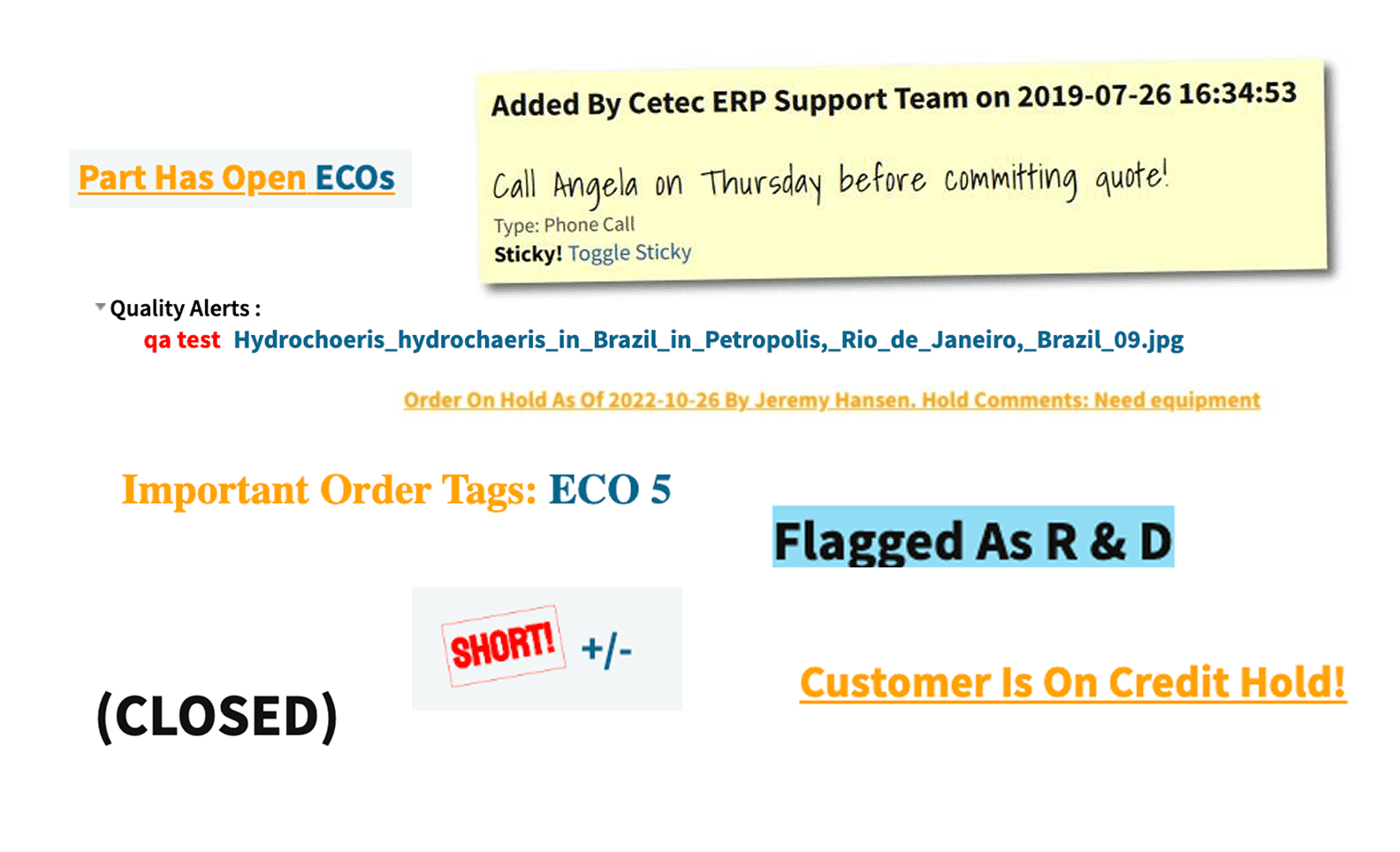
A selection of different Header alerts and statuses
Consider Customer Priorities
First Iteration
Static vs. Dynamic Information
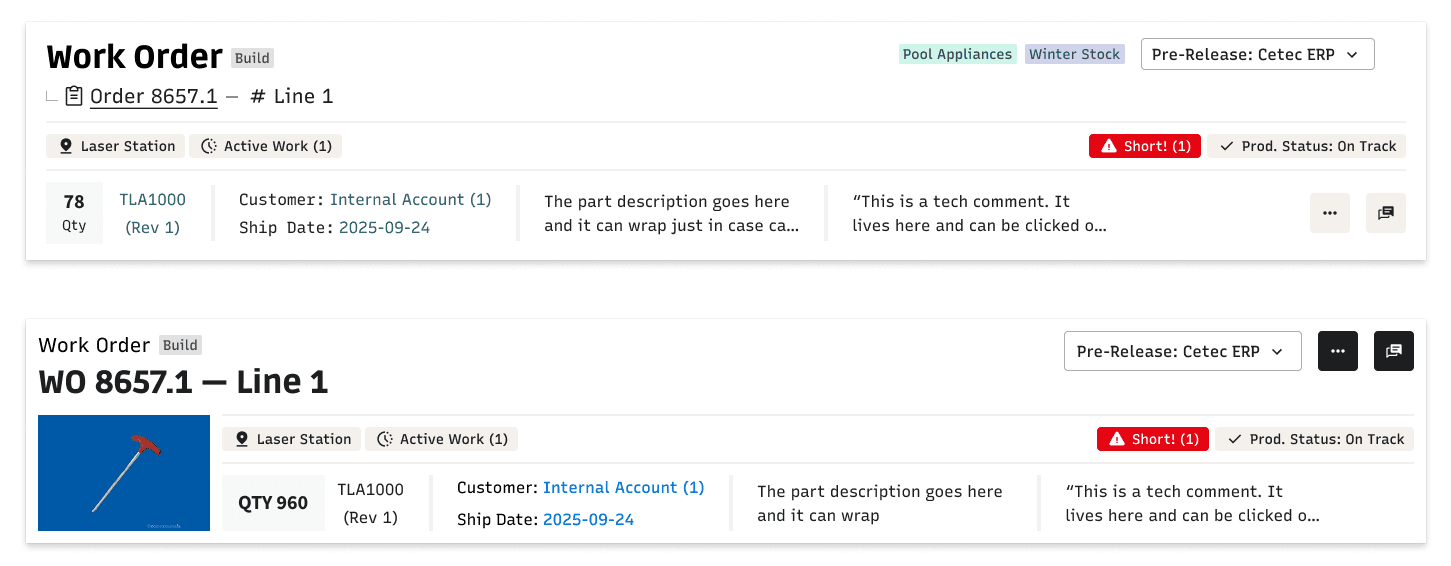
I began iterating and explored separating alert and status information from static “who, what, and where” information.
I gave alerts a consistent home and experimented with visual hierarchy options for different types of content.
Stakeholder Feedback
Static is King
Stakeholders strongly agreed with a consistent home for alerts because this provides predictability and improves noticeability.
They thought static “who, what, and where” information should receive greater priority because it provides context and is always present. Dynamic content such as alerts and status should appear beneath where they can provide descriptive details.
Stakeholders thought actions should also be contextually specific.
Second Iteration
Structure & Hierarchy
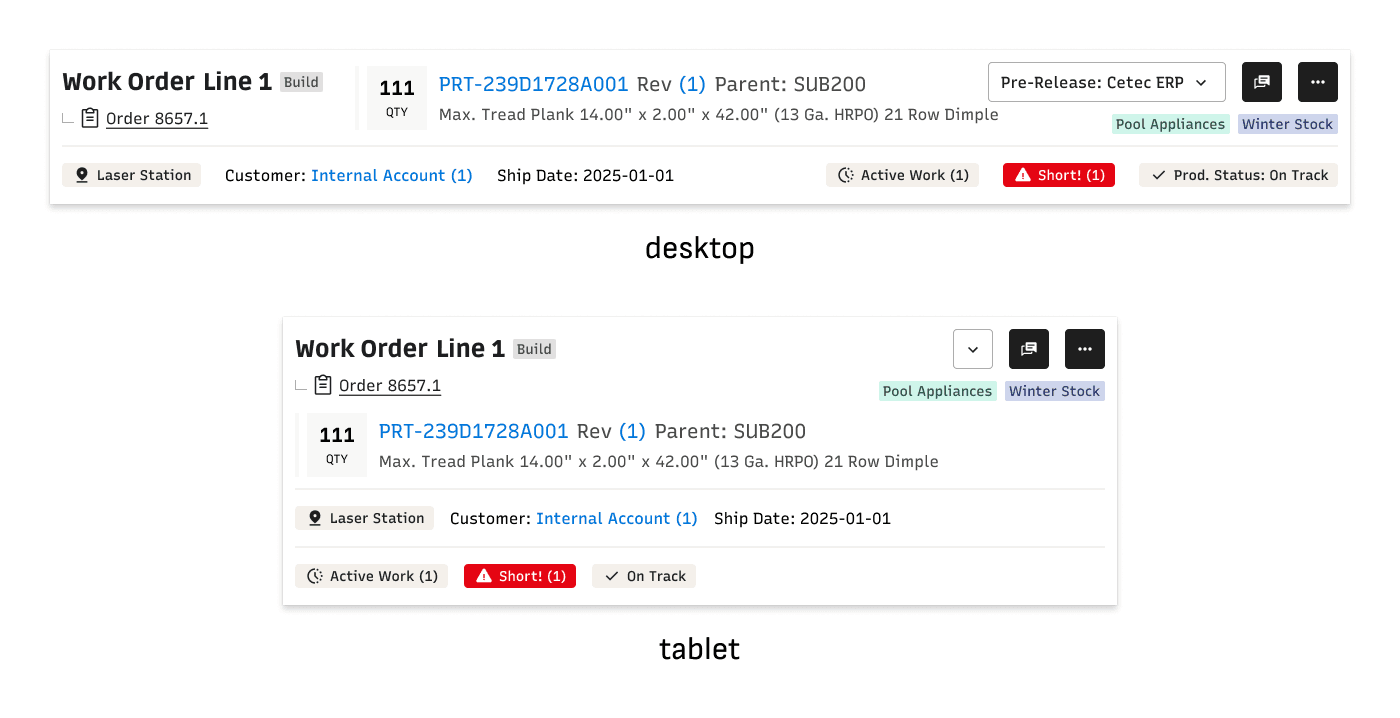
I reorganized the header so that static information received visual priority, and I experimented with giving elements of static information less visual prominence.
I experimented with ways to provide dynamic information as well as actions in a context-specific manner.
I also began considering how this system would adapt to smaller screen sizes, like tablets.
Stakeholder Feedback
Actually, It's Parts
As I reviewed designs with Stakeholders, it became apparent that floorworkers orient around parts rather than work orders.
Our visual hierarchy needed to reflect that parts should be the center point.
Third Iteration
Refocus on User Priorities
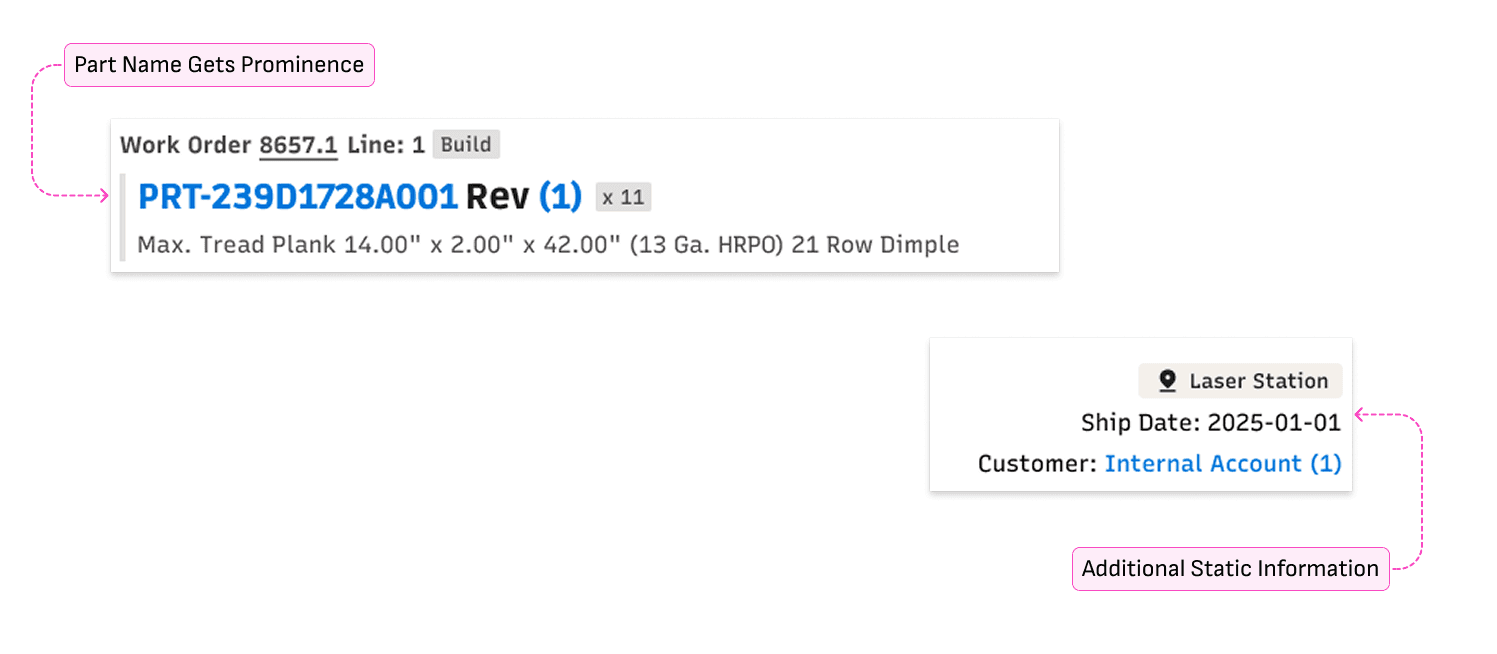
I rethought the design to give visual prominence to the part being built.
I also reorganized the presentation of static information so that all of it consistently appeared above dynamic information, ensuring a clear separation from statuses and alerts.

asdf
Stakeholder Feedback
But What Can I Do?
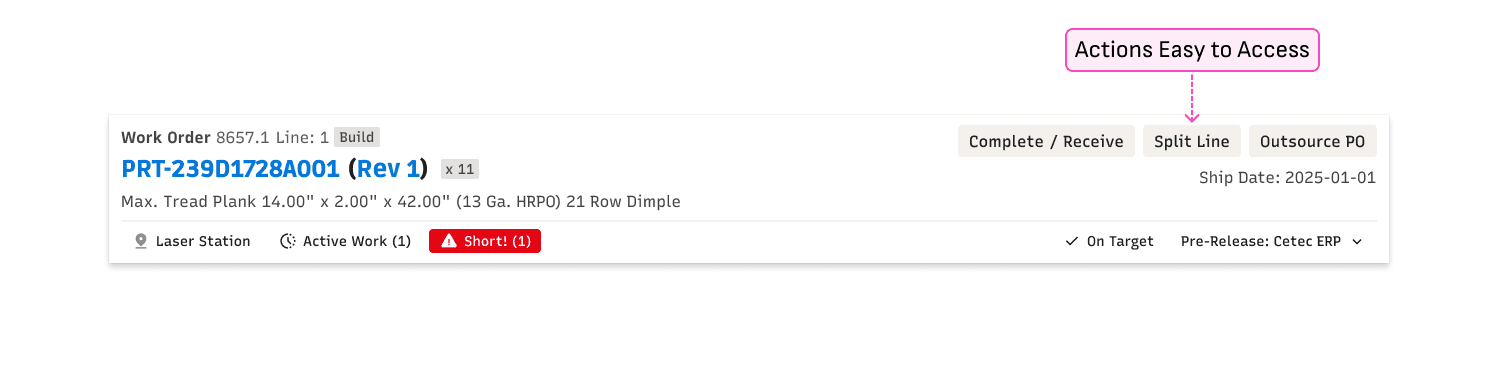
When sharing the design with Leadership and Sales, it became clear that key actions need to be immediately visible so they can't live in an overflow menu.
I needed to find them a home.
Fourth Iteration
Easy Access to Actions
I created a new design that included a dedicated, always visible place for actions so that users could quickly understand what was possible and get work done.
Wait, There's More
I reviewed the design with Engineering and uncovered additional scenarios that needed to be addressed. We're talking alerts that I didn't know existed!
Learning that we had lots of new alerts made it clear that we needed an alerts framework to effectively communicate information and cue appropriate actions.
Fifth Iteration
Finalize the Structure
My final iteration addressed identified issues and clarified the system, creating a clear, predictable structure that scales across scenarios.
Alerts have a dedicated bar that only appears when an alert is active
Alert styling varies based on severity and required action
Status information appears in a persistent area, separate from alerts
Introducing a New and Improved Header
write text here
Simplified & Scannable
A Simple Side Nav
The new design reduced the number of options displayed in the side nav from 25 to 10.
This clean and minimal approach reduces cognitive load and improves findability.
What Belongs Together Lives Together
Grouped Nav
Conceptually similar navigation options are grouped and presented together.
Users no longer need to memorize where options live in a long list!
No Extra Work Required
Same Number of Clicks
The new design did not introduce any extra clicks for users to reach their target destination.
Efficient Access
Easy to Reach Related Areas
Users can easily navigate between related areas via the subnavigation.
Clear Differentiation
Dedicated Home for Actions
Actions always live in the same area, making it easy for users to understand what can be done given their current context.
No more hunting when you need to get something done!
Time to Build!
I created a developer hand-off document that outlines every component of the new design and how they should behave across different scenarios, including edge cases, visual states, and interactions.
Writing this document was a great exercise in clarity as I needed to think through each part of the system and ensure that all behaviors were captured and understandable.
Clarity was also key as my development team was in India and I needed to make sure that they could rely on the document to get the information since I couldn’t be there in person.
Final Thoughts
This internship was a crash course in real-world UX. I had the chance to work on a meaningful product design challenge that involved collaborating with people from different departments and across the world, and importantly, working directly with users.
My user interviews and design feedback sessions were a real highlight. Being able to hear from people who use the Work Order as part of their daily job gave me unique insights and helped me to advocate for improvements. I kept these people in mind throughout my design process and reflected on them when I made design decisions. The user research also connected the product team with users in a new way. Seeing how people used the product in the real world was an eye opener for everyone!
never considered treating things differently and how nice it is to have a clear and consistent pattern
the power of simplicity and the power of tidying up. Avoid adding complexity when not necessary
Scaling was a new thing for me to consider, importance of close collaboration w/ dev partners